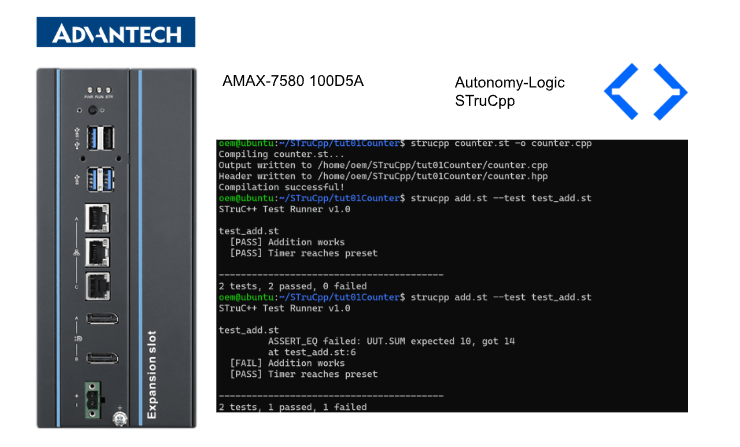
This article introduces Autonomy-Logic’s new OPENPLC compiler, STruCpp – will also be installed on Advantech’s IPC.
Let’s enjoy FA!
Foreword
Thank you from the bottom of my heart for visiting my technical blog and YouTube channel.
We are currently running the “Takahashi Chris” radio show with Full-san (full@桜 八重 (@fulhause) / X) which I deliver every Wednesday night.
Sharing, not hoarding, technical knowledge
We publish technical information related to factory production technology and control systems for free, through blogs and videos.
With the belief that “knowledge should be accessible to everyone,” we share practical know-how and real-world troubleshooting cases from our own field experience.
The reason we keep it all free is simple: to help reduce the number of people who struggle because they simply didn’t know.
If you’ve ever thought:
- “Will this PLC and device combination actually work?”
- “I’m having trouble with EtherCAT communication—can someone test it?”
- “I want to try this remote I/O, but we don’t have the testing environment in-house…”
Feel free to reach out!If lending equipment or sharing your configuration is possible, we’re happy to verify it and share the results through articles and videos.
(We can keep company/product names anonymous if requested.)
How can you support us?
Currently, our activities are nearly all unpaid, but creating articles and videos takes time and a proper testing environment.If you’d like to support us in continuing and expanding this content, your kind help would mean a lot.
Membership (Support our radio show)
This support plan is designed to enhance radio with Mr Full.
https://note.com/fulhause/membership/join
Amazon Gift List (equipment & books for content production)
Lists equipment and books required for content creation.
https://www.amazon.co.jp/hz/wishlist/ls/H7W3RRD7C5QG?ref_=wl_share
Patreon (Support articles & video creation)
Your small monthly support will help to improve the environment for writing and verifying articles.
https://www.patreon.com/user?u=84249391
Paypal
A little help goes a long way.
https://paypal.me/soup01threes?country.x=JP&locale.x=ja_JP
Just trying to share things that could’ve helped someone—if only they’d known.
Your support helps make knowledge sharing more open and sustainable.
Thank you for being with us.
soup01threes*gmail.com
Technical knowledge shouldn’t be kept to ourselves.
STruC++
Convert Structured Text to clean C++17. STruC++ is a compiler toolchain for PLC programmers. It converts IEC 61131-3 compliant Structured Text code into highly readable C++17. The name combines ST (Structured Text) + stru (from the Latin struere, “to construct”) + C++ (the target language).
thiagoralves’s comment
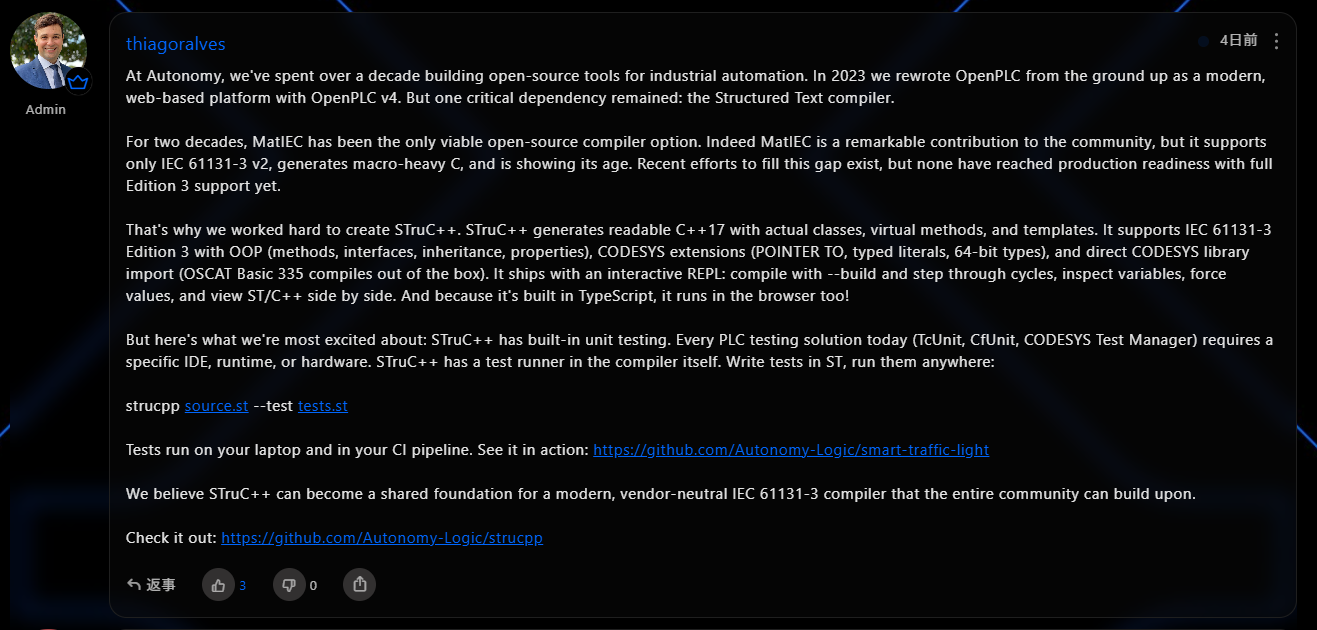
Before introducing STruC++, let’s hear what thiagoralves has to say.
https://openplc.discussion.community/post/new-openplc-compiler-13794170
Key Features
compiler
Parses ST syntax and compiles it to modern C++17. Eliminates dependency on PLC runtime and generates code that runs in a general-purpose environment.
Embedded Unit Test Framework
Verify ST logic at the code level without relying on ladder diagrams or FBDs. Integration into CI pipelines is also straightforward.
Interactive REPL
Confirm and debug program operation on the spot. Observe variable changes and program status in real time.
Reusable Library System
Package function blocks and data types for sharing across projects. This promotes the accumulation and reuse of assets.
Why STruC++?
ST to C++ makes sense. While other tools output C (MatIEC) or proprietary bytecode, STruC++ generates code that looks like proper C++17. Function blocks are represented as classes, interfaces use virtual functions, and generics use templates. The output code is readable, debugable, and can be seamlessly integrated into existing C++ projects.
Embedded Unit Testing
All current PLC test solutions require IDE add-ons, external libraries, or PLC hardware. STruC++ embeds the test runner directly into the compiler itself. Tests are written in ST and can be run on any machine with `strucpp source.st –test tests.st`. No PLC is required, making it ideal for automated build pipelines. See the test guide.
Interactive REPL
Use –build to compile the ST program as a standalone binary and interactively verify its operation. You can view ST and C++ code side-by-side while configuring inputs, advancing cycles, inspecting variables, and forcing value writes. Refer to the REPL guide.
Zero runtime dependencies
The compiler is a single binary. The C++ runtime is header-only. The generated code can be compiled by any C++17-compliant compiler (g++, clang++, MSVC). See the CLI reference and C++ runtime documentation.
STruC++ Test Framework
STruC++ includes a built-in test framework for writing and executing unit tests for Structured Text programs. Tests are written using a dedicated syntax, compiled into C++, and executed natively.
Mechanism
- Compile source ST files with test infrastructure enabled
- Parse test files into test AST (SETUP/TEARDOWN/TEST blocks, assertions, mocks)
- Verify test files against source symbol tables
-
Generate C++ test runner (test_main.cpp)
- For each test file, a setup structure (if SETUP exists)
- For each TEST block, a test function
- Test registration to main()
- Compile the test binary with g++ (C++17)
- Run the binary and output the results
The exit code is 0 if all tests pass, and non-zero if they fail.
Test output
|
|---|
[test_counter.st]
PASS: increments on each call
FAIL: reset clears count
Assertionfailedat line 15: ASSERT_EQ(c.count, 0) – got 3
Results: 1 passed, 1 failed
STruC++ Interactive REPL
STruC++ compiles ST programs into standalone binaries and provides an interactive shell for step-by-step execution, variable inspection, and debugging.
Interactive features
- Tab completion: Completes commands, program names, and program.variable paths
- Command history: Persists across sessions (stored in .strucpp_history), navigated with up/down arrow keys
- History search: Ctrl+R for backward incremental search
- Syntax highlighting: Color-codes commands and variable references
Essential requirement
To use the –build flag, the following is required:
- C++17-compliant g++ (path can be specified with –gpp <path>)
- C compiler (cc or gcc, path can be specified with –cc <path>)
All are used only during the build process. The generated binaries run standalone.
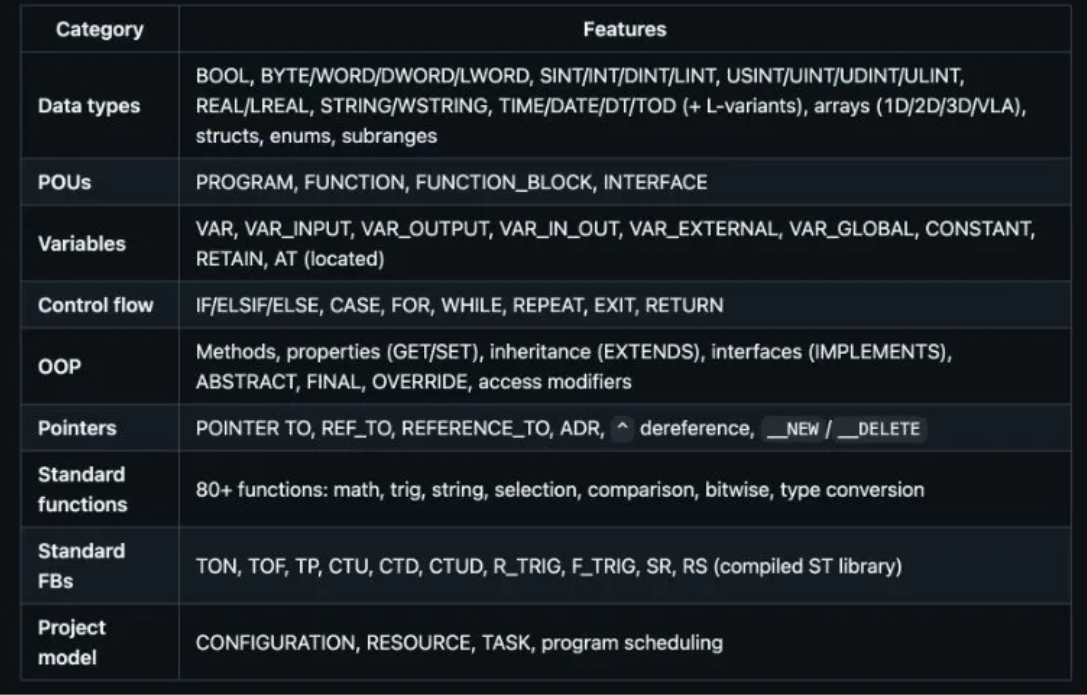
Language Support
STruC++ implements a major subset of IEC 61131-3 Edition 3, along with the general extensions of CODESYS.
Installation
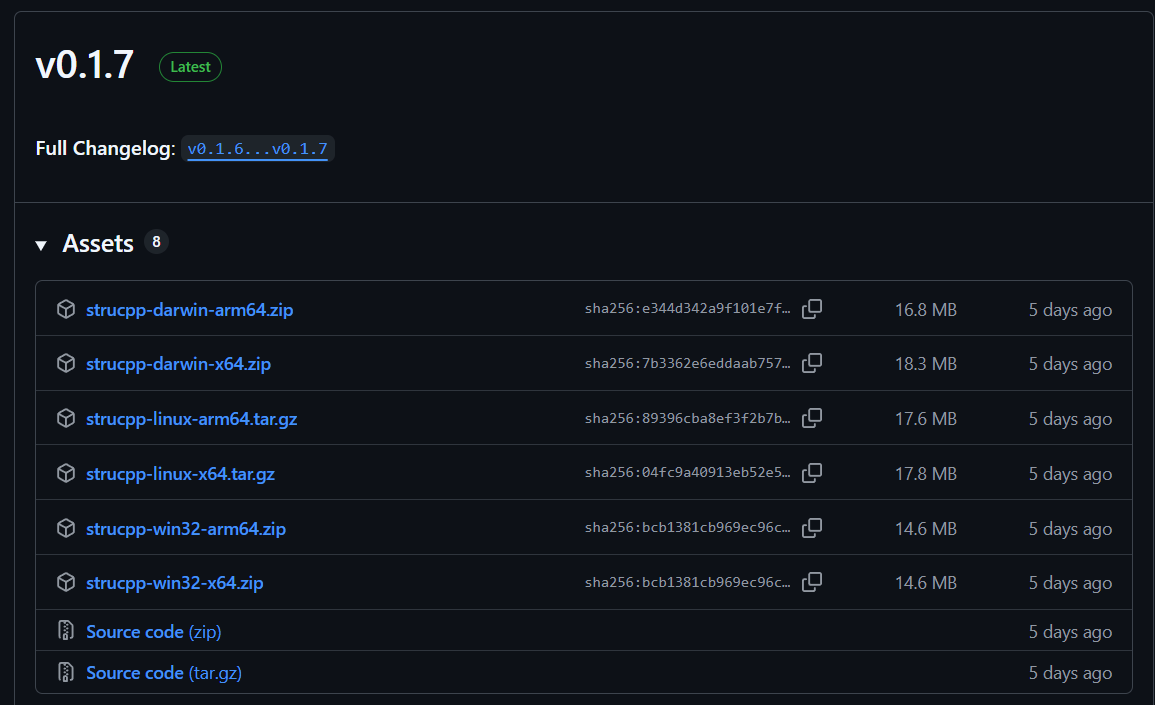
Download the latest version for your operating system platform from GitHub Releases and extract it.
oem@ubuntu:~/STruCpp$ tar -xzf strucpp-linux-x64.tar.gz
|
|---|
Use this command add to strucpp to PATH.
oem@ubuntu:~/STruCpp$ export PATH=”$PWD/strucpp:$PATH”
|
|---|
First Program
This article will use this program.
|
|---|
Build
Next, convert the ST program to C++ using the following command.
oem@ubuntu:~/STruCpp/tut01Counter$ strucpp counter.st -o counter.cpp
|
|---|
Unit Test
Next, we’ll build a simple unit test. A unit test is a test that verifies whether each individual function or processing unit that makes up a program operates as intended.
This add.st program takes two integer parameters as input and outputs the result.
FUNCTION_BLOCK Adder |
|---|
This test_add.st file uses the Adder created earlier to verify the calculation results. It also measures the program execution time to ensure it is within 100 milliseconds.
TEST ‘Addition works’
|
|---|
Next, run the unit test using the command below.
oem@ubuntu:~/STruCpp/tut01Counter$ strucpp add.st –test test_add.st
|
|---|
Done!All unit tests passed.
test_add.st
|
|---|
This test_add.st passes 3 and 11, and adds a CHECK to see if the calculation result intentionally becomes 10. (Of course, it does not become 10.)
TEST ‘Addition works’
|
|---|
Next, run the unit test using the command below.
oem@ubuntu:~/STruCpp/tut01Counter$ strucpp add.st –test test_add.st
|
|---|
This time, we can see that two test cases passed and one failed. We also know that the failed test is Line6, and that it produced a result of 14 instead of the expected 10.
test_add.st
|
|---|
Interactive Shell
Finally, let’s build the ST program one more time using the command below.
oem@ubuntu:~/STruCpp/tut01Counter$ strucpp MotorControl.st -o MotorControl.cpp –build |
|---|
Done!The ST program has been built and converted to C++.
Compiling MotorControl.st…
|
|---|
Next, run the program using the following command.
oem@ubuntu:~/STruCpp/tut01Counter$ ./MotorControl |
|---|
Done!The interactive shell has started.
STruC++ Interactive PLC Test REPL
|
|---|
The `run` command executes the program for the specified number of cycles.
strucpp> run 20
|
|---|
Use the `vars` command to check the current values of all variables in the current program.
strucpp> vars
|
|---|
Displays the program for the number of lines specified by the `code` command (including ST and C++).
strucpp> code 5 10 |
|---|
Done!

Change the value of the variable specified by the set command.
strucpp> set MOTORCONTROL.STARTBUTTON TRUE
|
|---|
The `vars` command displays all current variable values within the program.
strucpp> vars
|
|---|
Finally, monitor the variables specified with the vars command.
strucpp> watch MOTORCONTROL.FAULTLAMP
|
|---|
Running the RUN command again will now display the command you just registered.
strucpp> run 10
|
|---|