This is a new article series introducing the OPEN SOURCE truST Platform. truST is an open-source IEC 61131-3 toolchain running on VS Code, featuring real-time diagnostics, go-to-definition, a breakpoint-enabled debugger, and a hardware-free test runtime.
Episode 2 covers installing the runtime and building projects on Advantech IPCs.
Alright, let’s enjoy the FA!
Foreword
Thank you from the bottom of my heart for visiting my technical blog and YouTube channel.
We are currently running the “Takahashi Chris” radio show with Full-san (full@桜 八重 (@fulhause) / X) which I deliver every Wednesday night.
Sharing, not hoarding, technical knowledge
We publish technical information related to factory production technology and control systems for free, through blogs and videos.
With the belief that “knowledge should be accessible to everyone,” we share practical know-how and real-world troubleshooting cases from our own field experience.
The reason we keep it all free is simple: to help reduce the number of people who struggle because they simply didn’t know.
If you’ve ever thought:
- “Will this PLC and device combination actually work?”
- “I’m having trouble with EtherCAT communication—can someone test it?”
- “I want to try this remote I/O, but we don’t have the testing environment in-house…”
Feel free to reach out!If lending equipment or sharing your configuration is possible, we’re happy to verify it and share the results through articles and videos.
(We can keep company/product names anonymous if requested.)
How can you support us?
Currently, our activities are nearly all unpaid, but creating articles and videos takes time and a proper testing environment.If you’d like to support us in continuing and expanding this content, your kind help would mean a lot.
Membership (Support our radio show)
This support plan is designed to enhance radio with Mr Full.
https://note.com/fulhause/membership/join
Amazon Gift List (equipment & books for content production)
Lists equipment and books required for content creation.
https://www.amazon.co.jp/hz/wishlist/ls/H7W3RRD7C5QG?ref_=wl_share
Patreon (Support articles & video creation)
Your small monthly support will help to improve the environment for writing and verifying articles.
https://www.patreon.com/user?u=84249391
Paypal
A little help goes a long way.
https://paypal.me/soup01threes?country.x=JP&locale.x=ja_JP
Just trying to share things that could’ve helped someone—if only they’d known.
Your support helps make knowledge sharing more open and sustainable.
Thank you for being with us.
soup01threes*gmail.com
Technical knowledge shouldn’t be kept to ourselves.
Reference Link
http://soup01.com/en/category/trust-platform_en/
Installation
Use this command to install truST Runtime.
https://github.com/johannesPettersson80/trust-platform/blob/main/docs/deploy/INSTALL.md
git clone https://github.com/johannesPettersson80/trust-platform.git trust-platform
|
|---|
Trouble
fatal: unable to access
The first error encountered was an inability to access github.com.
fatal: unable to access ‘https://github.com/Autonomy-Logic/openplc-runtime.git/’: Could not resolve host: github.com |
|---|
Verify Internet Connection
First, check if you are connected to the Internet.
ping 8.8.8.8 |
|---|
DNS Resolution Verification
Next, verify whether communication with github.com is possible.
ping github.com |
|---|
DNS Settings Correction
In my case, it was a DNS configuration issue, so correcting it as follows should resolve it.
sudo nano /etc/resolv.conf
|
|---|
‘cargo’ not found,
This time it’s an error saying the cargo package is missing.
oem@ubuntu:~/trust-platform$ cargo build -p trust-runtime –release
|
|---|
Install the necessary basic tools.
sudo apt update
|
|---|
Next, install Rust and Cargo.
curl –proto ‘=https’ –tlsv1.2 -sSf https://sh.rustup.rs | sh |
|---|
Read environment variables.
source “$HOME/.cargo/env” |
|---|
Finally, check the version.
cargo –version
|
|---|
error: could not execute process `sccache
oem@ubuntu:~/trust-platform$ cargo build -p trust-runtime –release
|
|---|
I’ll try building without using sccache.
unset RUSTC_WRAPPER
|
|---|
Next, it seems there aren’t enough packages again.
error: failed to compile `sccache v0.14.0`, intermediate artifacts can be found at `/tmp/cargo-installwSuvlu`.
|
|---|
After installing the dependency packages, and try again.
sudo apt update
|
|---|
Let’s create your first project!
In this article, we’ll directly access the IPC console via SSH and create a project using commands. Execute the following command in an empty FOLDER.
oem@ubuntu:~/p1$ sudo trust-runtime play |
|---|
That’s all it takes to automatically create the truST Project Template and launch it in Runtime.
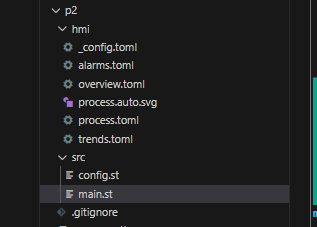
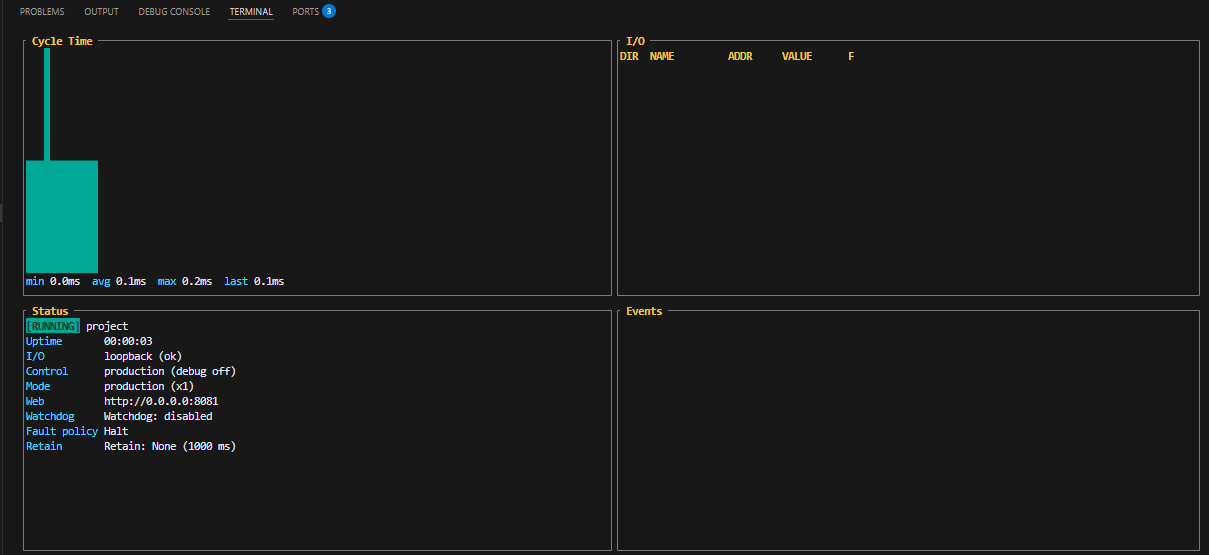
The console displays information such as cycle time and runtime status.
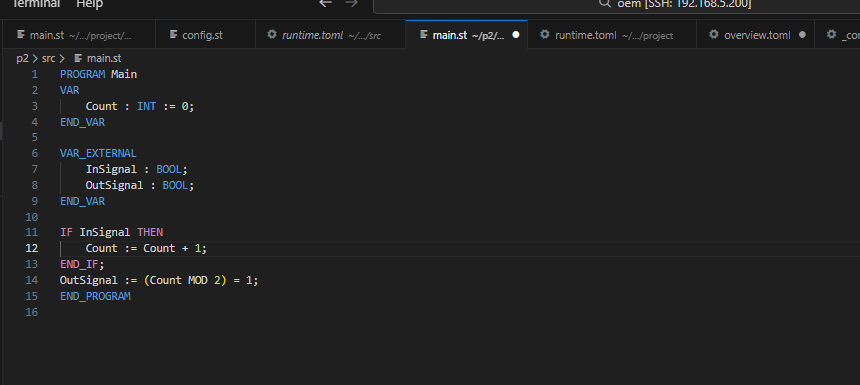
The program main.st has also been created in the Template directory.
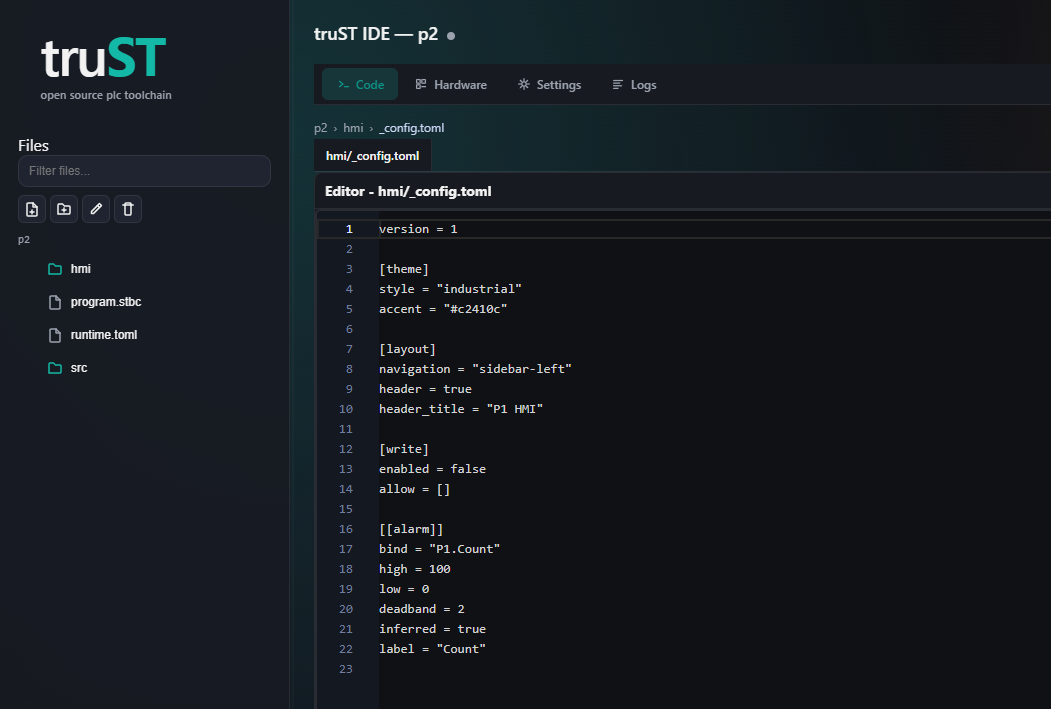
You can access the truST web server at IP address:8080.
Re-Build Again
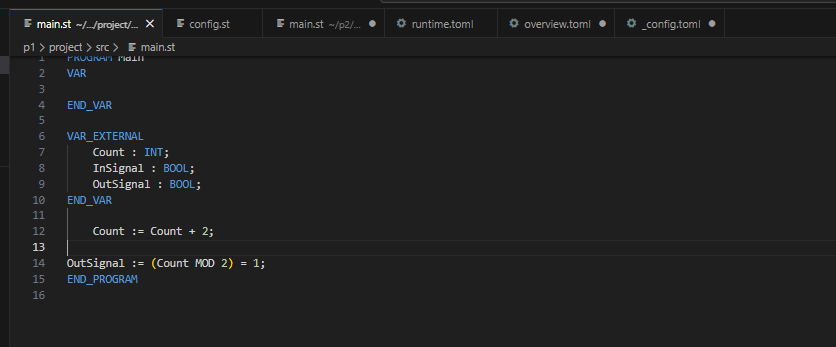
Next, let’s modify main.st. First, change Count from an internal variable to an external variable.Then, make the Count increment by 1 each cycle.
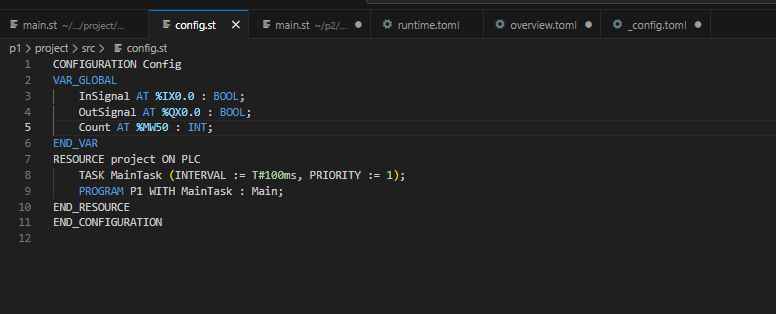
Next, assign the Count variable to memory at %MW50 in config.st.
Build the project using the following command.
oem@ubuntu:~/p1$ sudo trust-runtime build
|
|---|
Finally, launch the Runtime.
oem@ubuntu:~/p1$ sudo trust-runtime play |
|---|
ctl Command Check
You can check the Runtime status with this command.
oem@ubuntu:~$ sudo trust-runtime ctl –project p1/project/ status
|
|---|
This command reads the IO status of the Runtime.
oem@ubuntu:~$ sudo trust-runtime ctl –project p1/project/ io-read
|
|---|
This command can also check the runtime’s operating status.
oem@ubuntu:~$ sudo trust-runtime ctl –project p1/project/ health
|
|---|
Additionally, you can access the status of the End-Point specified by the command shown below.
oem@ubuntu:~$ sudo trust-runtime ctl –endpoint unix:///tmp/trust-runtime.sock io-read
|
|---|