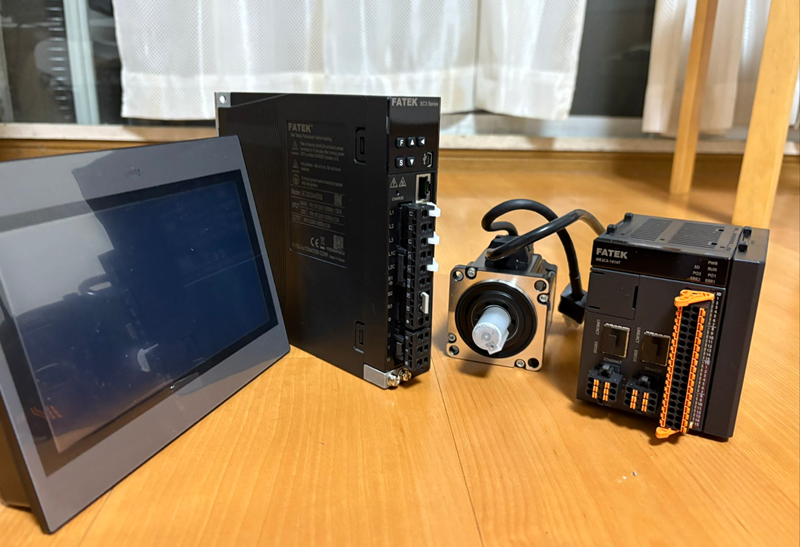
This is a new series where we’ll be covering various topics using the FATEK P5070NB HMI. In Part 2, we’ll change the HMI’s settings using the software tool.
Let’s enjoy FA!
Foreword
Thank you from the bottom of my heart for visiting my technical blog and YouTube channel.
We are currently running the “Takahashi Chris” radio show with Full-san (full@桜 八重 (@fulhause) / X) which I deliver every Wednesday night.
Sharing, not hoarding, technical knowledge
We publish technical information related to factory production technology and control systems for free, through blogs and videos.
With the belief that “knowledge should be accessible to everyone,” we share practical know-how and real-world troubleshooting cases from our own field experience.
The reason we keep it all free is simple: to help reduce the number of people who struggle because they simply didn’t know.
If you’ve ever thought:
- “Will this PLC and device combination actually work?”
- “I’m having trouble with EtherCAT communication—can someone test it?”
- “I want to try this remote I/O, but we don’t have the testing environment in-house…”
Feel free to reach out!If lending equipment or sharing your configuration is possible, we’re happy to verify it and share the results through articles and videos.
(We can keep company/product names anonymous if requested.)
How can you support us?
Currently, our activities are nearly all unpaid, but creating articles and videos takes time and a proper testing environment.If you’d like to support us in continuing and expanding this content, your kind help would mean a lot.
Membership (Support our radio show)
This support plan is designed to enhance radio with Mr Full.
https://note.com/fulhause/membership/join
Amazon Gift List (equipment & books for content production)
Lists equipment and books required for content creation.
https://www.amazon.co.jp/hz/wishlist/ls/H7W3RRD7C5QG?ref_=wl_share
Patreon (Support articles & video creation)
Your small monthly support will help to improve the environment for writing and verifying articles.
https://www.patreon.com/user?u=84249391
Paypal
A little help goes a long way.
https://paypal.me/soup01threes?country.x=JP&locale.x=ja_JP
Just trying to share things that could’ve helped someone—if only they’d known.
Your support helps make knowledge sharing more open and sustainable.
Thank you for being with us.
soup01threes*gmail.com
Technical knowledge shouldn’t be kept to ourselves.
Reference Link
http://soup01.com/en/category/fatek_en/
Radio Collaboration
Remote Access
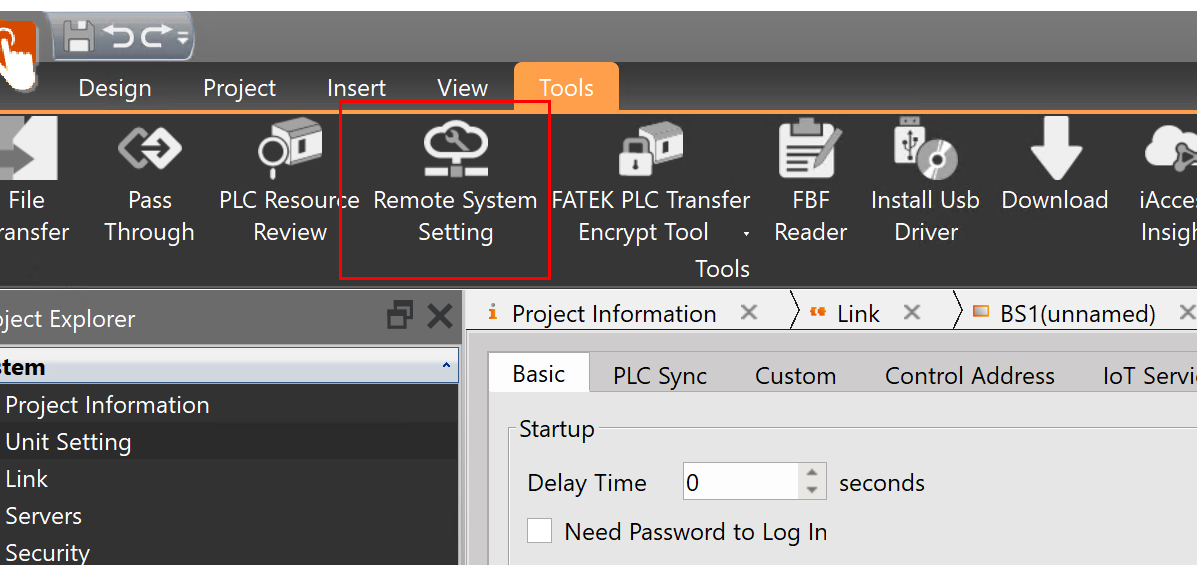
Click Tools → Remote System Settings.
HMI Scan
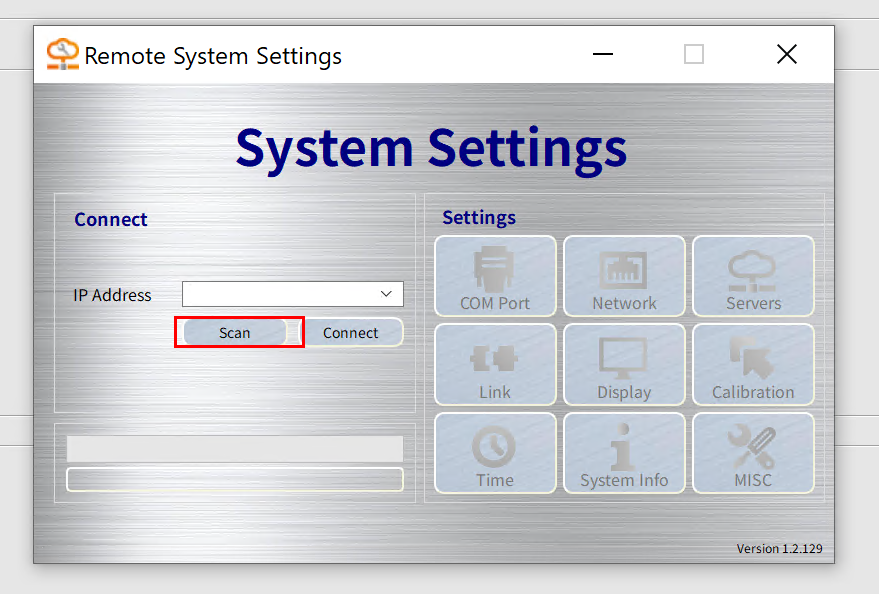
The Remote System Settings screen will appear; click Scan to search for the FATEK HMI.
Connection
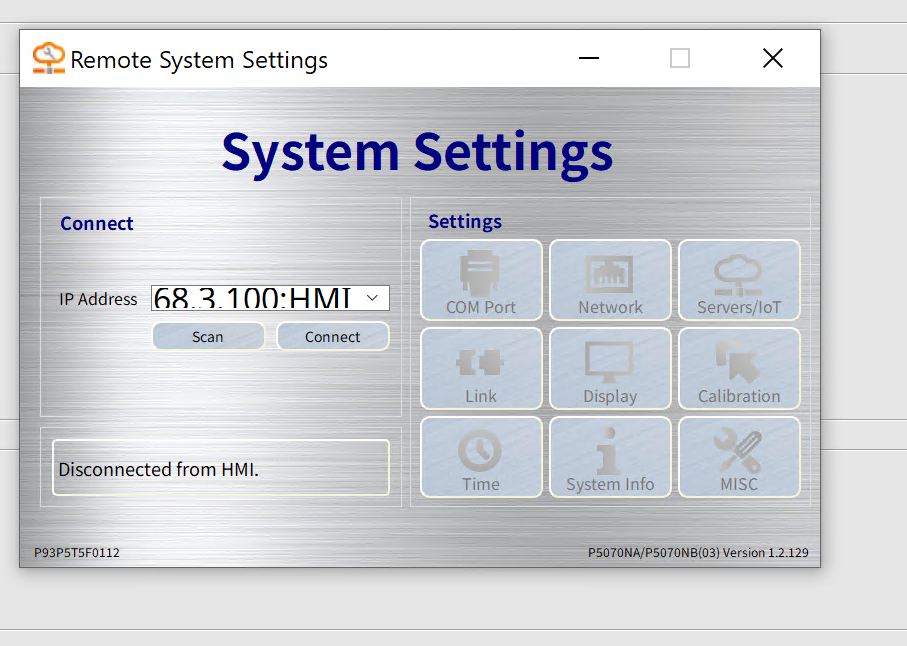
Next, click Connect.
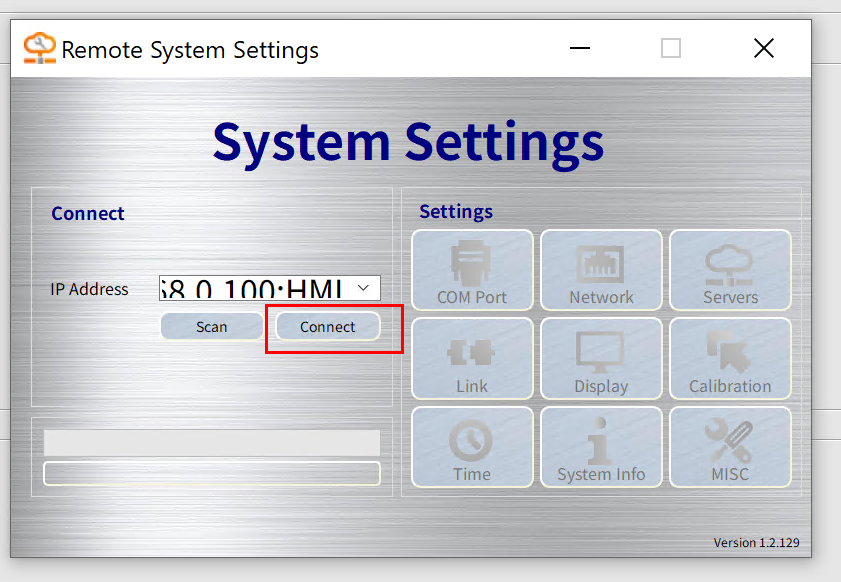
Done!
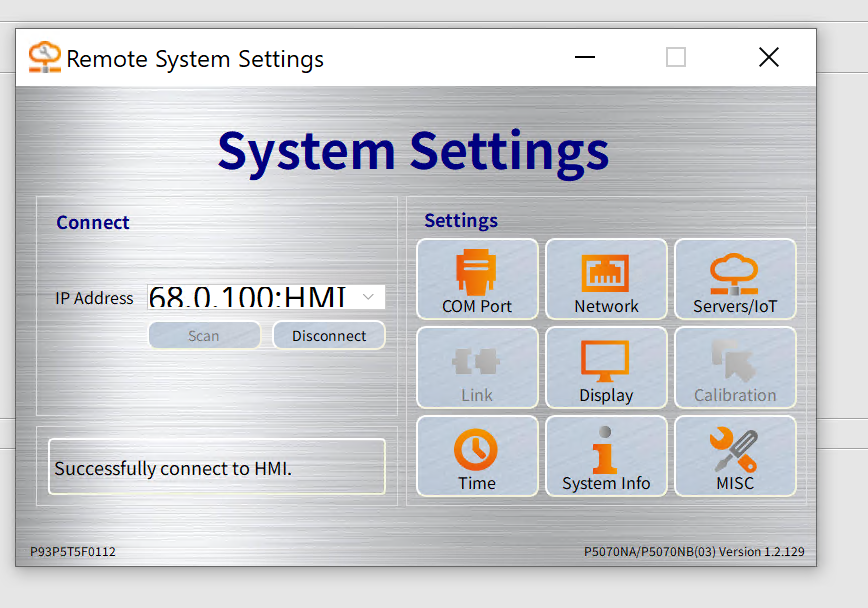
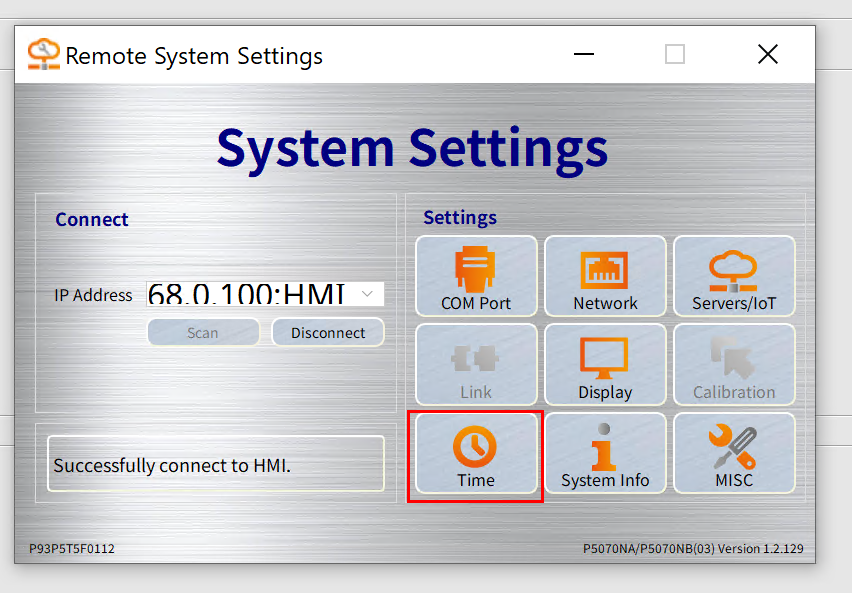
Time Settings
Click “Time” to set the HMI time.
Next, set the time to match your actual clock, then tap OK to apply the settings.
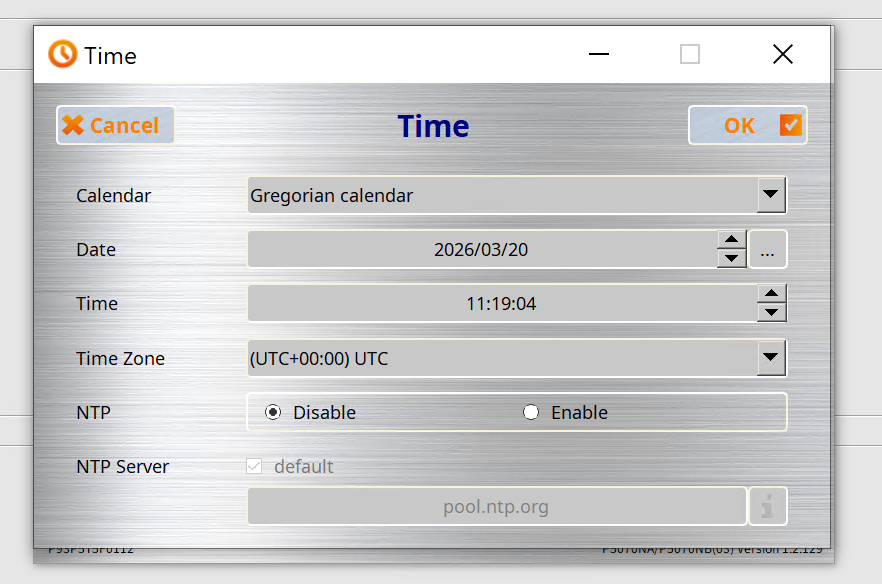
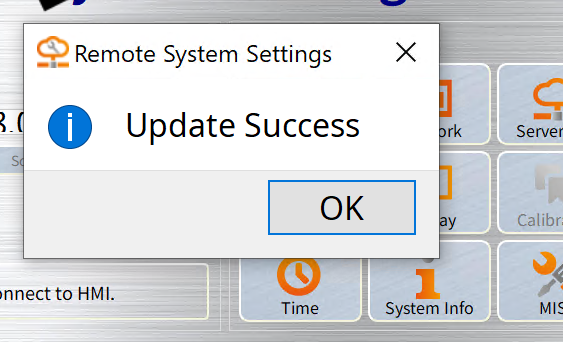
Done!The HMI time has been updated.
Display Settings
Next, click “Display.”
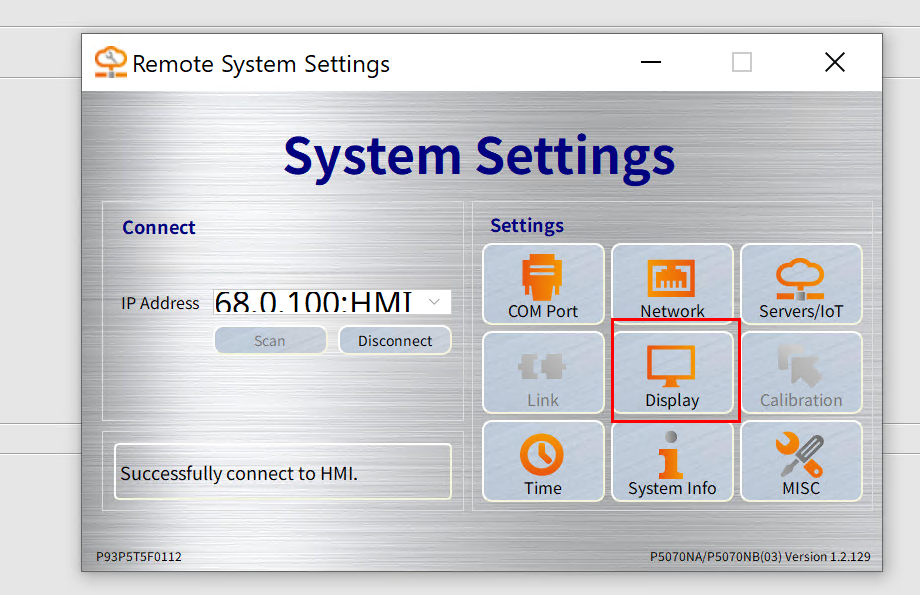
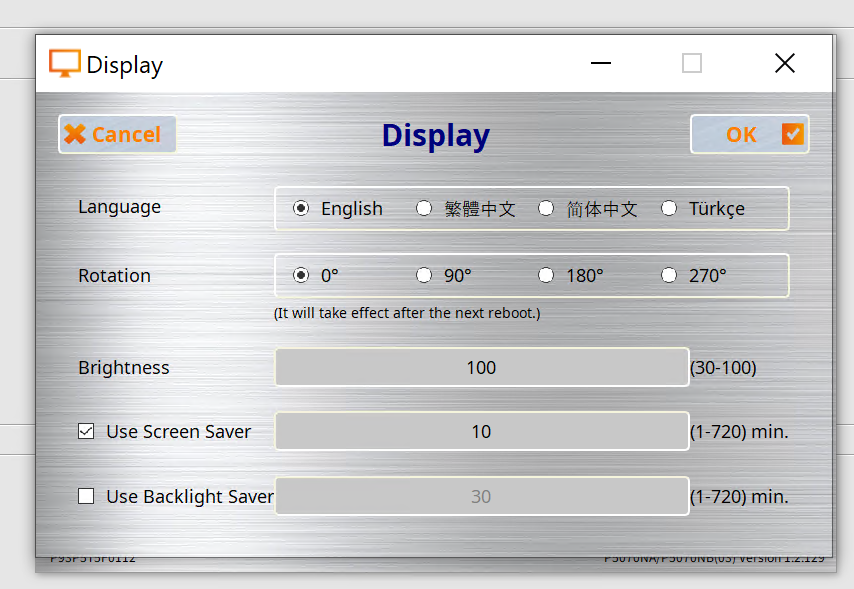
There, you can adjust the screen’s viewing angle, system language, brightness, and other settings.
MISC Settings
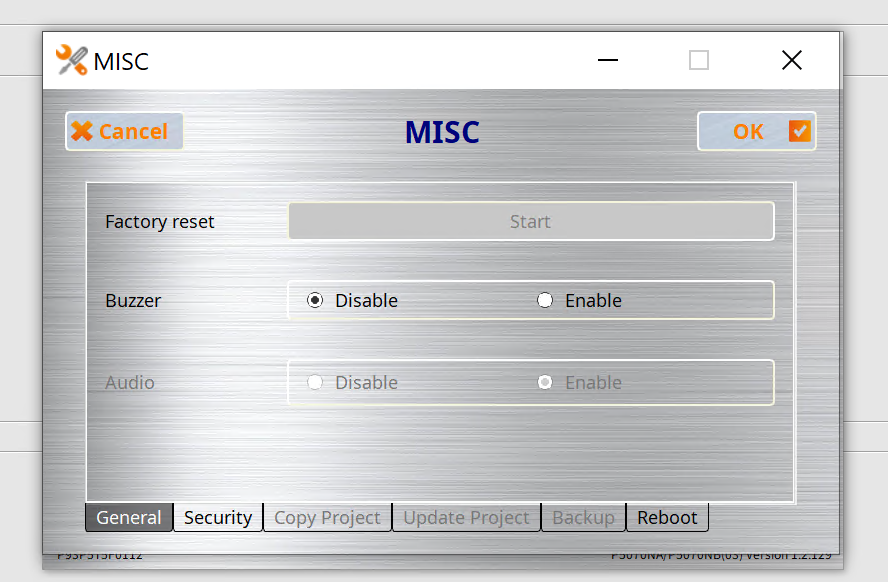
Next, open the MISC settings screen.
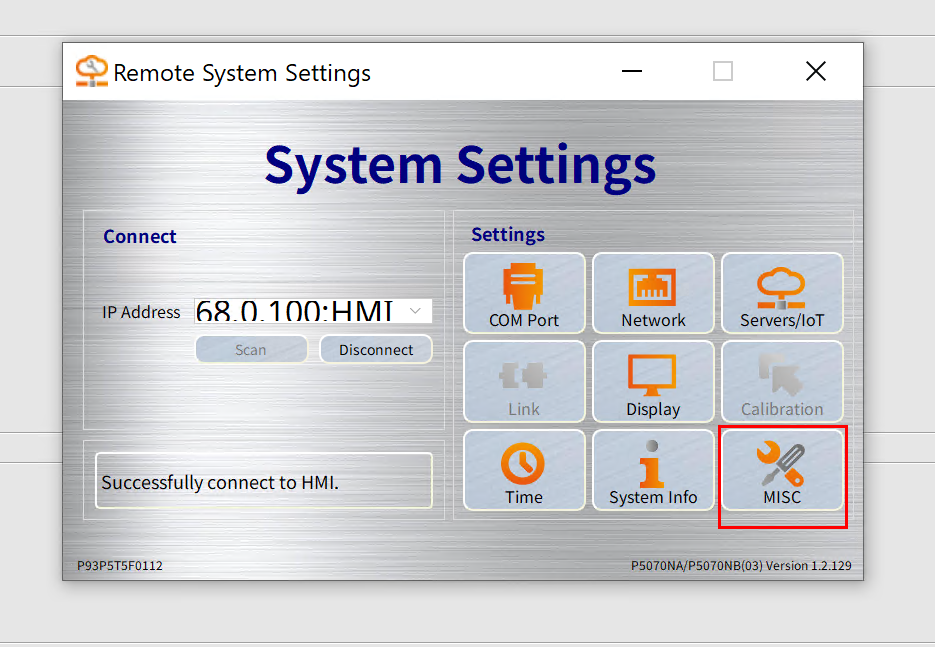
Here, you can configure settings related to the buzzer (whether to use it or not), reboots, and security.
Network Settings
Finally, we have the network settings.
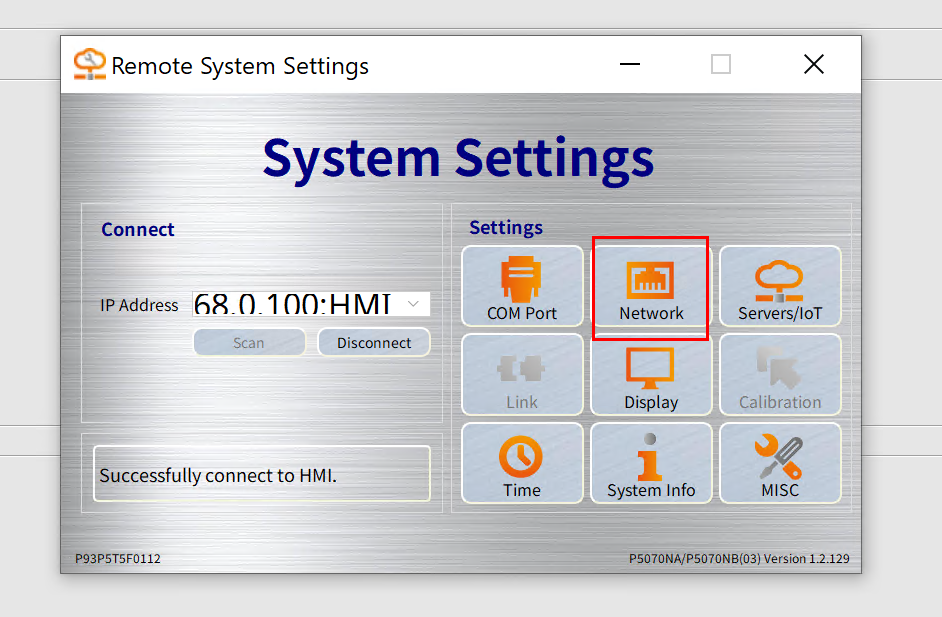
Here, you can configure the IP address and other settings for the HMI unit.
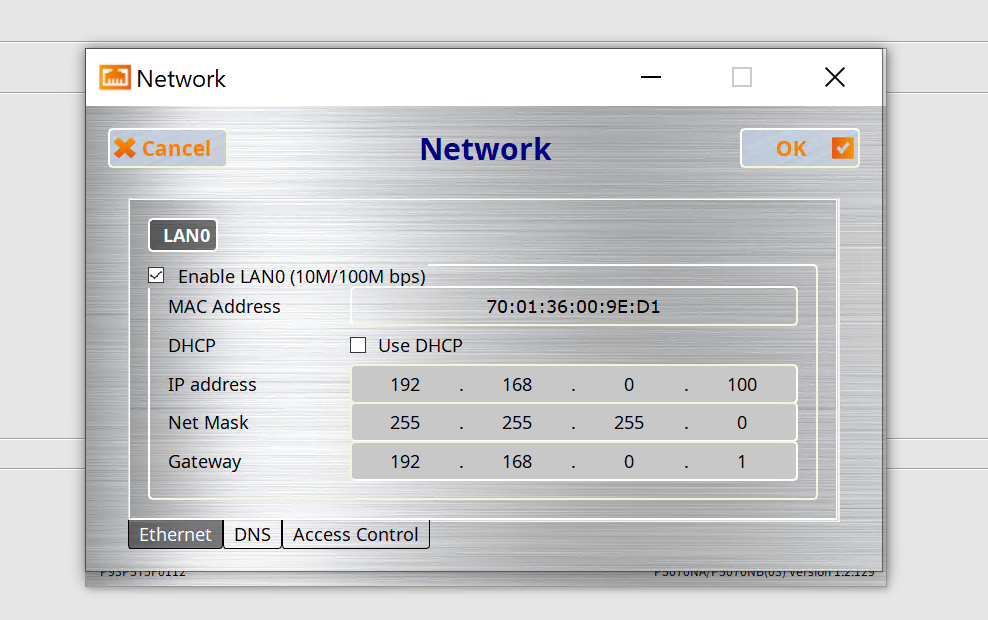
Changing the IP address will temporarily disconnect the current PC tool from the HMI.
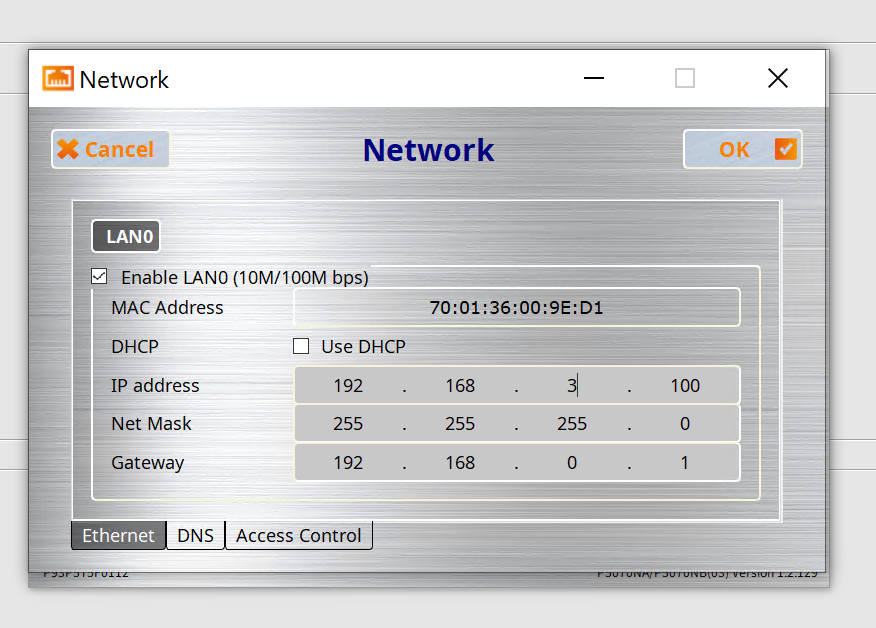
Done!Your IP address has been changed.