CODESYS 4 Version 1.0.0.0 was released on September 24, 2026. This article explains the features of CODESYS 4, its connectivity, installation methods for Windows and Linux, and basic operations.
Now, let’s enjoy FA!
CODESYS 4
CODESYS 4 Version 1.0.0.0 was released on September 24, 2026. It is a new programming system offered alongside the conventional CODESYS Development System 3.
As before, it complies with IEC 61131-3, allowing programming using Structured Text (ST) and Ladder Diagram (LD), but its internal architecture has undergone significant changes.
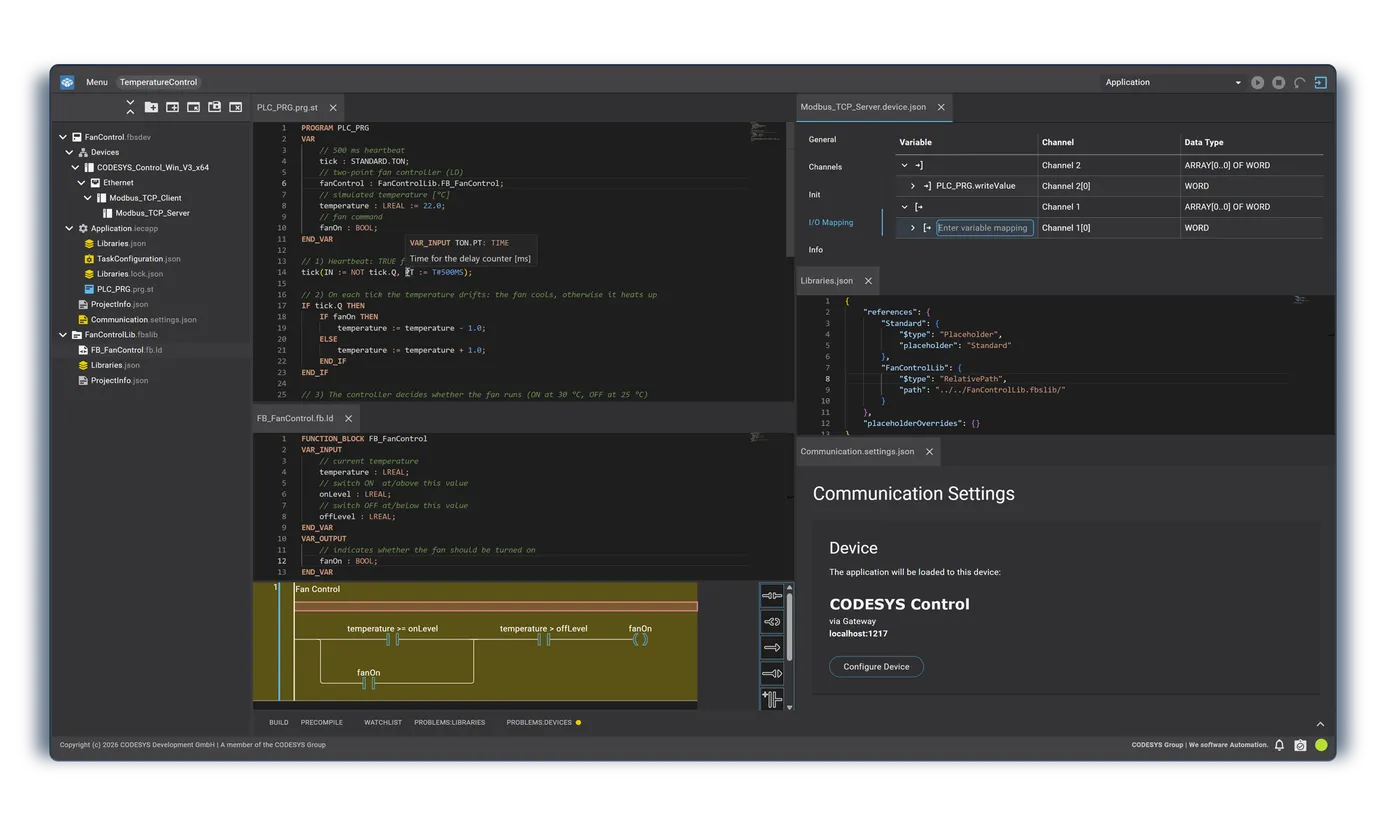
The user interface runs in a web browser, and projects are stored on the hard drive as folder structures composed of text files. Furthermore, in addition to GUI operations, a command-line interface is now available.
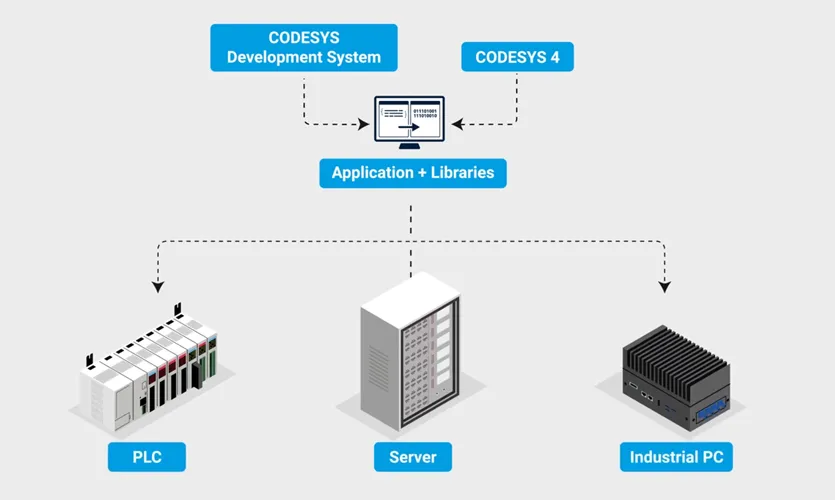
CODESYS 4 refreshes the development environment itself while maintaining the proven foundation. The compiler is identical to CODESYS 3, and the libraries used are also the same. Additionally, there are no changes to the runtime system running on the controller.
Therefore, code compiled with CODESYS 4 can be executed directly on any controller capable of running code created with CODESYS 3.
CODESYS 4 is not a replacement for CODESYS 3.
Both CODESYS 3 and CODESYS 4 will continue to be developed and maintained in parallel. Users can decide for themselves whether and when to adopt CODESYS 4 for their projects. It is also possible to use both in combination.
For example, you can perform development in CODESYS 4 while conducting actual machine startup and commissioning using CODESYS Development System 3. Note that in the initial version, available features are intentionally limited.
As of September 24, 2026, CODESYS 4 Version 1.0.0.0 supports practical work primarily for the following two use cases:
- Library development using Structured Text (ST) and Ladder Logic (LD)
- Automated builds, supporting build processes via “CI/CD”
- Small-scale device projects using Modbus TCP
What remains unchanged?
First, let’s look at the most important point, which also answers the most frequently asked question: Your existing assets and hardware can be used as they are. The compiler, libraries, and runtime remain identical to previous versions.
CODESYS 4 uses the same CODESYS compiler and the same libraries as CODESYS Development System 3. In addition, the runtime system operating on the controller is identical. Therefore, the hardware investments, libraries, and IEC 61131-3 knowledge and expertise you have accumulated can be utilized directly.
Programming
Programming continues to follow IEC 61131-3 standards.
Structured Text (ST) and Ladder Diagram (LD) are available right from the initial version.
The Ladder Diagram editor has been redesigned for CODESYS 4, based on the familiar graphical editor used in CODESYS 3.
Therefore, there is no need to learn high-level programming languages such as C++ or C# to use CODESYS 4.
Bidirectional compatibility for library projects
Regarding library projects, there is bidirectional compatibility between CODESYS 3 and CODESYS 4. A library project saved in file-based format in CODESYS 3 can be opened in CODESYS 4, and vice versa.
In addition, libraries compiled in CODESYS 4 (Compiled Library) can be incorporated into projects in both CODESYS 3 and CODESYS 4 environments.
また、CODESYS 4でコンパイルしたライブラリ(Compiled Library)は、CODESYS 3、CODESYS 4のどちらの環境のプロジェクトにも組み込むことができます。
Converting device projects
On the other hand, device projects require conversion. Currently, device projects cannot be directly opened between CODESYS 3 and CODESYS 4.
Provision of a conversion tool is planned, but it is not yet included in Version 1.0.0.0.
Parallel use of CODESYS 3 and CODESYS 4
CODESYS 3 and CODESYS 4 are used and operated in parallel. CODESYS 3 will also continue to be developed and maintained moving forward. CODESYS 3 is a development environment used by over 300,000 users with a track record spanning over 20 years.
There are currently no plans to end CODESYS 3, and no specific date has been set for CODESYS 4 to completely replace CODESYS 3.
Is CODESYS 4 suitable for your project?
Let’s see whether you should use CODESYS 4 based on three use cases below.
If you are developing libraries in Structured Text
The initial version of CODESYS 4 is highly suitable for these applications.
Projects are structured as text files, with dependencies also described within the files. Additionally, the library build process can be automated. The generated Compiled Libraries (compiled libraries) can be used in both CODESYS 3 and CODESYS 4.
If you are building small machines or test benches
Target systems are those with a relatively small number of digital/analog I/O points connected via Modbus TCP. The control logic can be created in:
- Structured Text (ST)
- Ladder Diagram (LD)
Inputs and outputs can be configured on the Modbus configurator.
If you are using Linux or ARM hardware
The CODESYS 4 development environment itself runs directly on Linux x64 and Linux ARM64 without using virtual machines. Therefore, if you are already running Software PLCs or Virtual Controllers on Linux, you can start development directly on the same Linux platform.
What if none of these apply to you?
In that case, CODESYS 3 remains the primary development tool for production work at present.
CODESYS 4 is available for free until the end of 2028, allowing early exposure to the new concepts and mechanisms that will serve as the foundation for future functional enhancements. Also, if you are already developing full-scale PLC applications in CODESYS 3 and using additional tools included in the Professional Developer Edition—such as CODESYS Git or CODESYS MCP Server—CODESYS 4 is provided as an additional professional development tool within that license package.
Library build process
Before getting started, let’s review two terms.
- Version control with Git is a repository mechanism that allows tracking all code changes by “when,” “by whom,” and “what changes were made.”
- A pipeline is a series of automated tasks triggered on the server by specific events. You can automatically compile and check code without manually launching programs.
Step 01: Development
Libraries are created using the Structured Text editor. The editor provides features such as syntax highlighting, auto-completion, and tooltips when hovering mouse cursor over code. As before, you can also continue development using CODESYS 3.
Step 02: Save and compare
Check in the project directory to Git. Since all files are stored as text files, running a diff allows you to precisely check which lines were modified. Parallel changes made by multiple developers or team code reviews can be managed using standard Git tools already used by your internal IT department.
Step 03: Record dependencies
Libraries.json records the libraries used in the project. For example, you can specify a range of usable versions such as 3.5.*.
Meanwhile, Libraries.lock.json records the exact versions of the selected libraries and their checksums. Both of these files are saved inside the project.
This enables computers in the CI/CD pipeline to build using the exact same library versions as the developer’s workstation.
Step 04: Automatic build after approval
Assign a version number to the release version in the repository. Adding this mark, a Git tag, serves as the trigger to start the pipeline.
The server fetches the tagged version and executes c4 library save-compiled.
Since compilation runs headless without a user interface, no operator needs to sit in front of the computer to monitor the process.
Step 05: Distribute and integrate into projects
The output generated by the build is a Compiled Library with the .compiled-library extension.
Source code is not included in this file. The generated library can be signed, stored with a version number, and integrated into CODESYS 3 and CODESYS 4 projects.
When pipeline processing succeeds or fails, notifications can be sent via email or chat messaging.
Two ways to transition to a pipeline
Scenario A: Starting with small steps
For library development, verification, and testing, continue using CODESYS 3 as before. Use CODESYS 4 solely for automated build processes. This approach requires no changes to your daily development workflow.
In other words, you can start with:
- Development & Testing: CODESYS 3
- Automated Build: CODESYS 4
setup.

Scenario B: Full migration to CODESYS 4
In this approach, libraries themselves are developed directly in CODESYS 4. However, automated module testing is not yet available in Version 1.0.0.0.
Instead, test applications are used for functional testing. This method involves preparing a separate CODESYS 4 project that incorporates the target library and manually running it to verify operation.
Note that CODESYS Test Manager currently still requires a virtual machine running CODESYS 3.

Small device projects: Development flow
Step 01: Create a project
First, create a workspace and then create a device project inside it. Next, select the target CODESYS Control SL Runtime System.
For example, select a runtime like CODESYS Control Win V3 x64 and specify the programming language to use.
Step 02: Programming
Control logic is created using:
- Structured Text (ST)
- Ladder Diagram (LD)
and other supported options.
The Ladder Editor is provided with basic offline features in version 0.1, with further functional expansion planned in future updates.
Step 03: Connect I/O
Add an Ethernet node to the project tree, and under it add:
- Modbus TCP Client
- Modbus TCP Server
or a Modbus TCP Server Device.
Afterward, create communication channels and map each input/output to variables in the program.
In short, the flow is:
Ethernet configuration
→ Modbus TCP configuration
→ Channel creation
→ Assignment to I/O variables
.
Step 04: Load and monitor
Load the created application into the controller. You can then monitor variable states directly in the editor or from the Watchlist.
Features not yet available in Version 1.0.0.0
In Version 1.0.0.0, online changes to running programs are not supported. Setting breakpoints and forcing variable values (Force) are also not supported yet.
Furthermore, live signal flow display in Ladder Diagram (LD) is currently unavailable. Therefore, for traditional machine startup and commissioning, CODESYS 3 remains the suitable tool.
Security
CODESYS 4 adopts a security-conscious architecture from the ground up. Specifically, authentication, request rate limiting, and process isolation are built into system design.
In server mode, an independent OS process is assigned to each session. Thus, even if a session crashes, it does not affect other sessions. User permissions are managed using the Linux user management system.
In addition, communication channels between the user interface and background processes are protected against CSRF (Cross-Site Request Forgery).
In hosted environments, browser communication is encrypted via TLS.
ホスティング環境では、ブラウザからの通信もTLSによって暗号化されます。
CODESYS 4 Execution / Deployment Patterns
First, to clarify, “web-based” refers to the user interface technology model. CODESYS 4 is neither a cloud service nor subscription-only software.
Where the software runs can be decided entirely by the user. All deployment variants can operate completely within your internal network.
Note that Linux is required for server operation and running directly on devices.
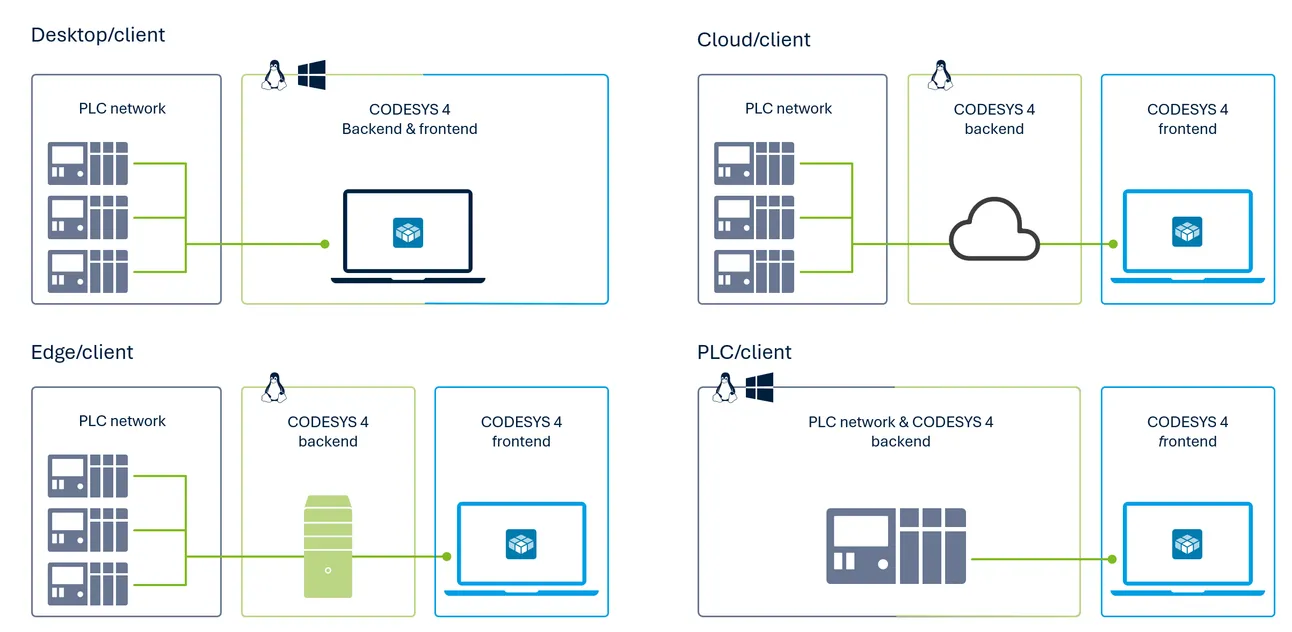
Single-user mode on Windows
Supports Windows x64 and installs from an .exe file. CODESYS 4 launches in a dedicated window, so there is no need to separately launch a browser.
Single-user mode on Linux
Supports Linux x64 and Linux ARM64, installing as a Debian package. Running a single command launches a local session, which you can access via a local web browser.
Shared server for teams
Supports Linux x64 and Linux ARM64. c4-server manages logins and sessions. User management utilizes local Linux users/groups and can integrate with LDAP or other directory services via PAM.
Each user session runs as an independent process. The server can also run directly on the control system itself.
Headless automation without user interface
Supported OS versions:
- Windows x64
- Linux x64
- Linux ARM64
.
The command-line tool c4 launches to perform specified tasks and exits upon completion. Envisioned usage includes:
- Manual execution
- Script execution
- Scheduled jobs
- CI/CD pipelines
and similar workflows.
In the initial version, no separate license is required for computers executing CI/CD pipelines.
Supported Controllers
In Version 1.0.0.0, only CODESYS Control SL series runtime systems are supported.
Platform | Supported CODESYS Runtime System |
|---|---|
Raspberry Pi | CODESYS Control for Raspberry Pi MC SL / CODESYS Control for Raspberry Pi SL / CODESYS Control for Raspberry Pi 64 SL |
Windows Soft PLC | CODESYS Control Win V3 / CODESYS Control Win V3 x64 / CODESYS Control RTE V3 / CODESYS Control RTE V3 x64 |
Linux | CODESYS Control for Linux ARM SL / CODESYS Control for Linux ARM64 SL / CODESYS Control for Linux SL |
Virtual Controller | CODESYS Virtual Control for Linux ARM SL / CODESYS Virtual Control for Linux ARM64 SL / CODESYS Virtual Control for Linux SL |
Minimum supported Runtime System version
Runtime Systems from CODESYS V3.5 SP19 onwards include User Management functions. Older, less secure communication protocols used in earlier versions have not been re-implemented in CODESYS 4.
Connecting to PLCs is handled via CODESYS Gateway. In other words, CODESYS 4 does not force backward compatibility with legacy runtimes, but instead operates on the premise of:
- V3.5 SP19以降
- User Management
- CODESYS Gateway
switching communication to a security-oriented structure.
CODESYS 4 Version 1.0.0.0 is not a beta version
CODESYS 4 is officially approved for production use for library development and small-scale projects. Quality standards are equivalent to CODESYS 3.
In addition,
- Compiler
- Runtime System
- Gateway
have not been changed from previous versions. What is new is the development interface. However, compared to CODESYS Development System 3, available functions are currently quite limited.
Installation
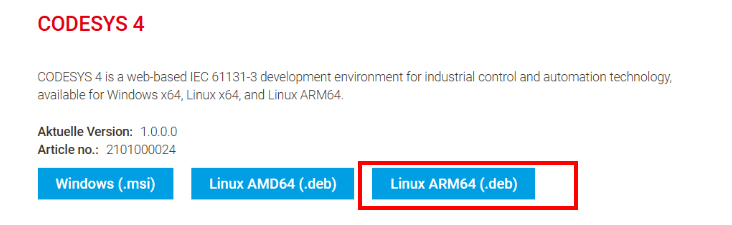
Download the CODESYS 4 installation file from the link below.
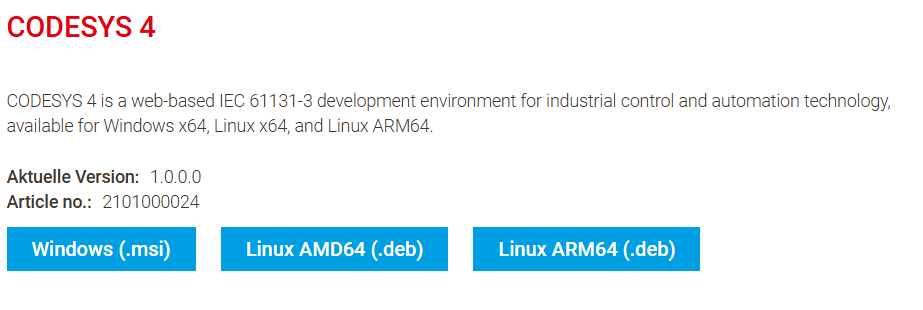
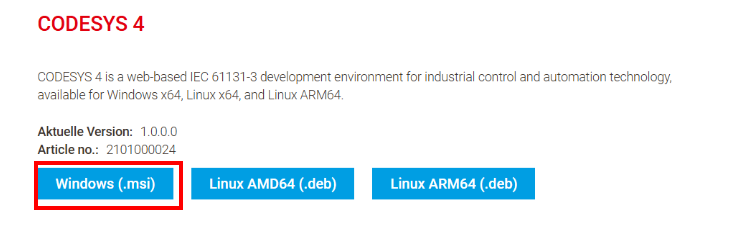
Windows
To install on Windows, download the installer file (.msi / .exe).
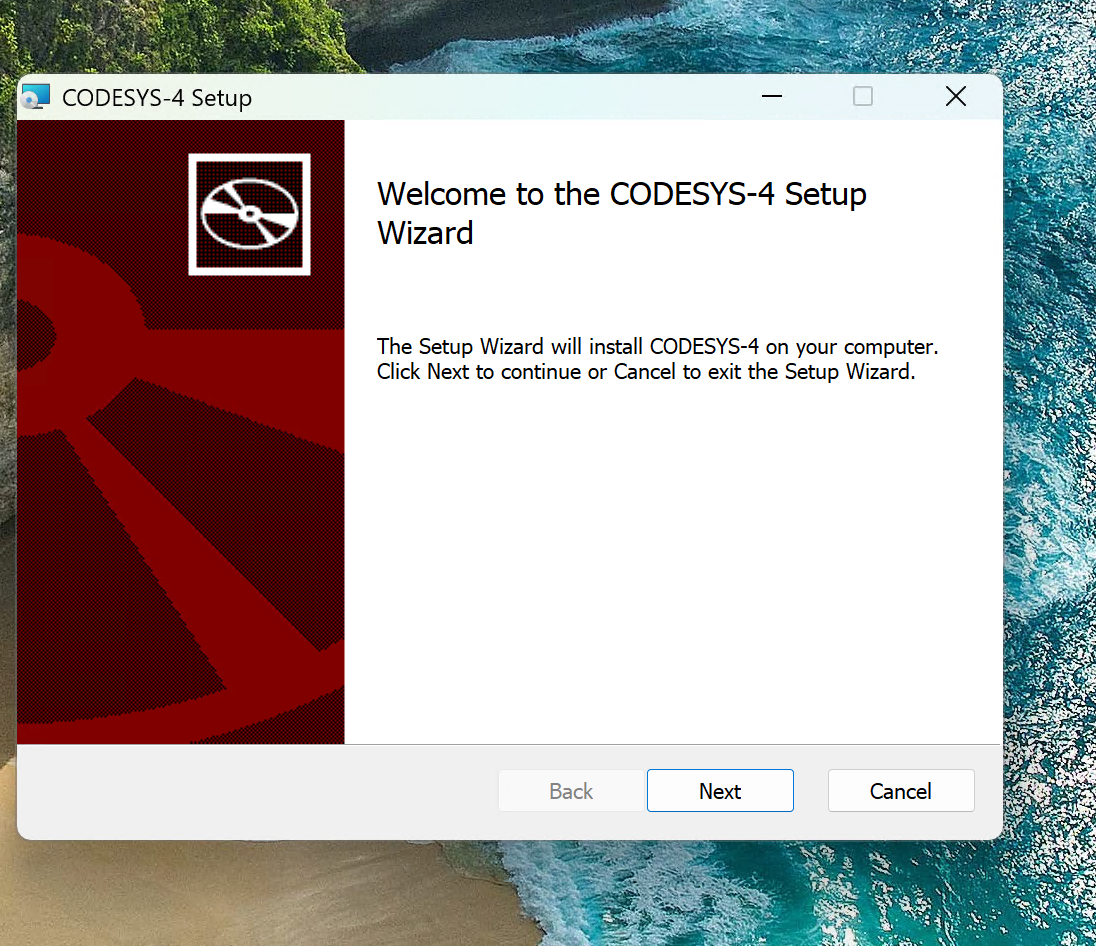
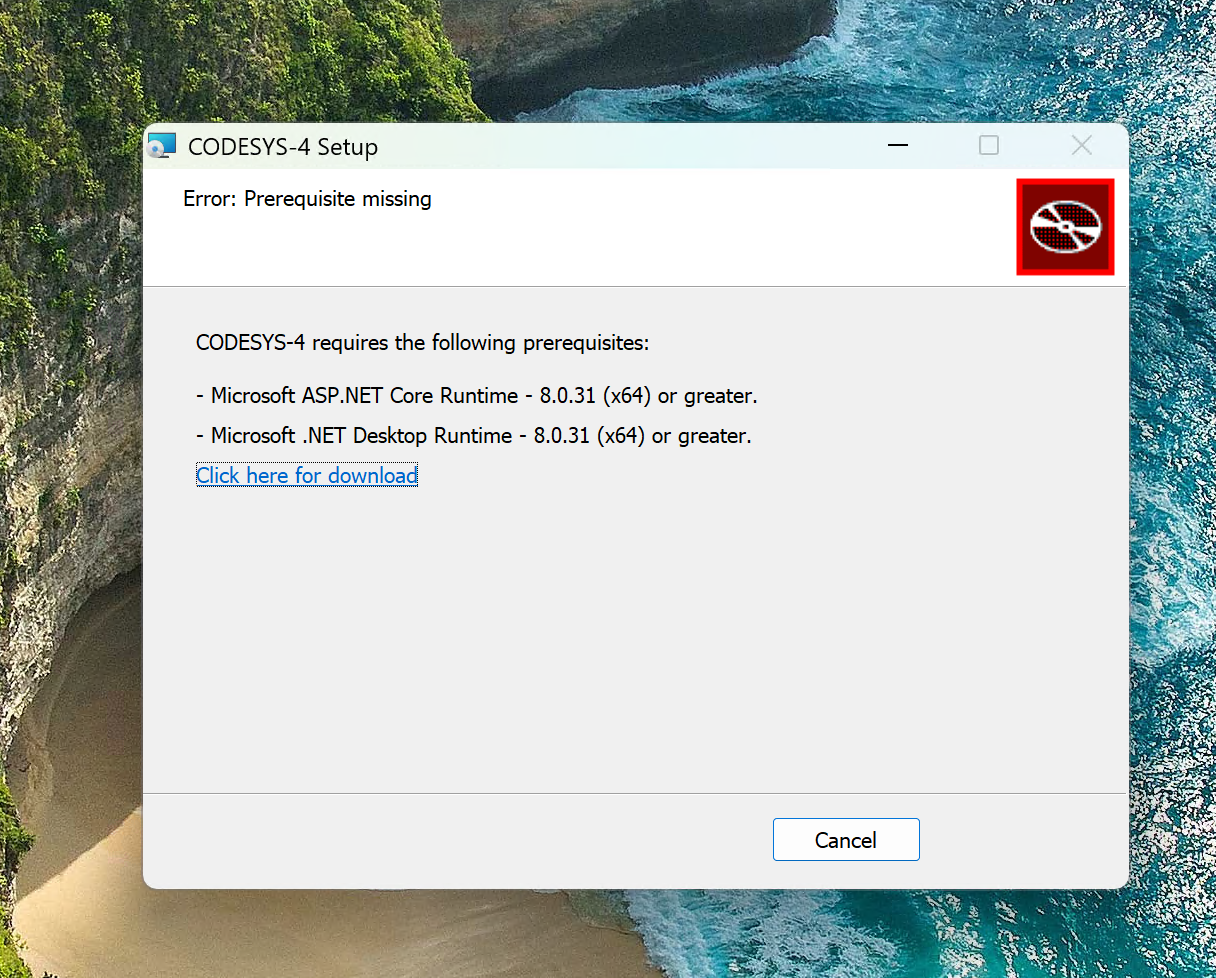
Launch the downloaded setup executable from the CODESYS Store and click Next.
If prerequisite packages such as Microsoft ASP.NET are missing, click “Click here for download” to install the required packages.
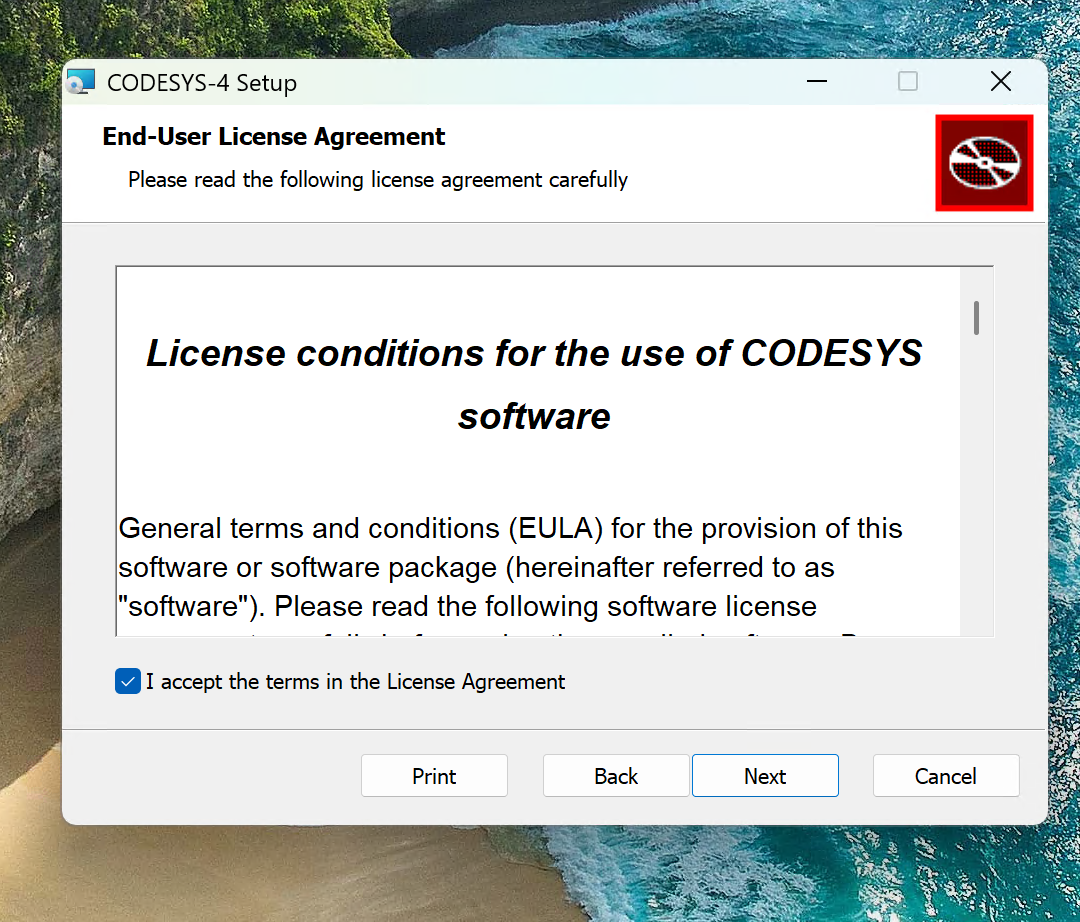
Next, accept the license terms and proceed with Next.
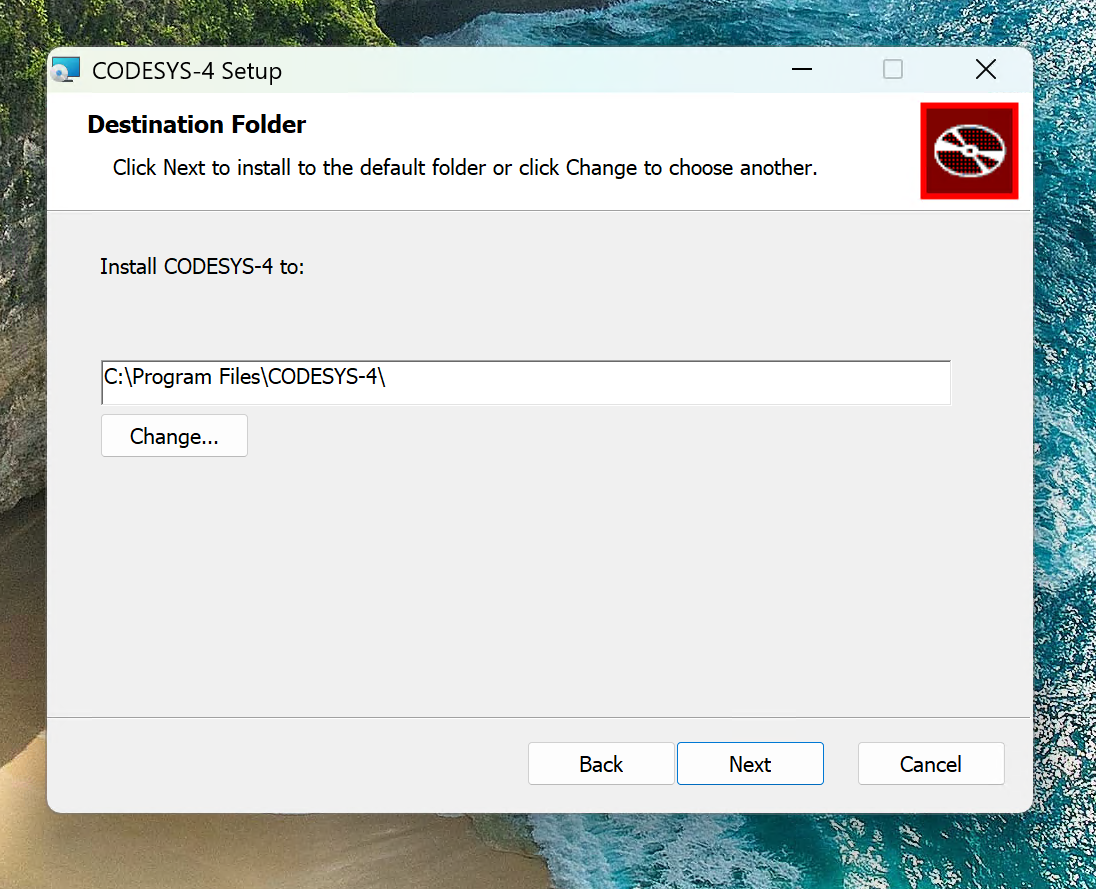
Click Next to proceed.
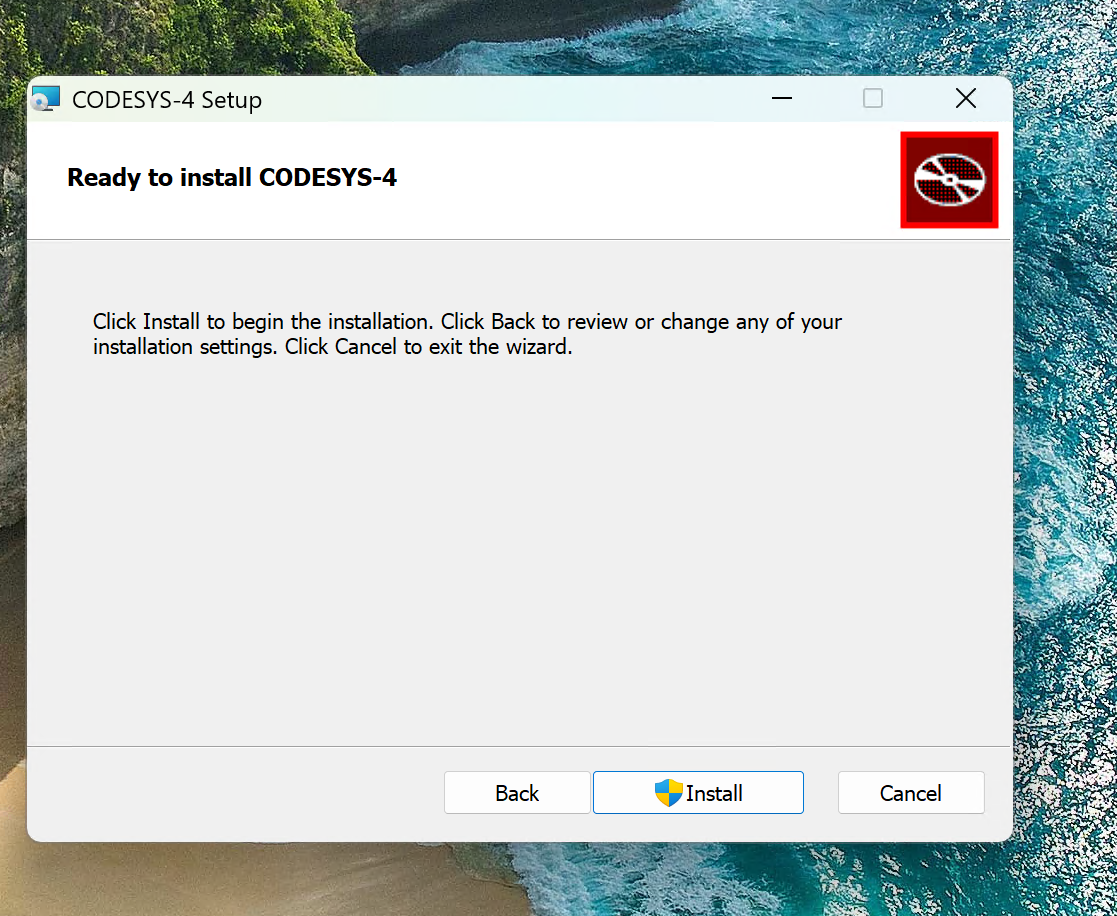
Start the installation.
Finally, launch CODESYS-4.1.xxxx.
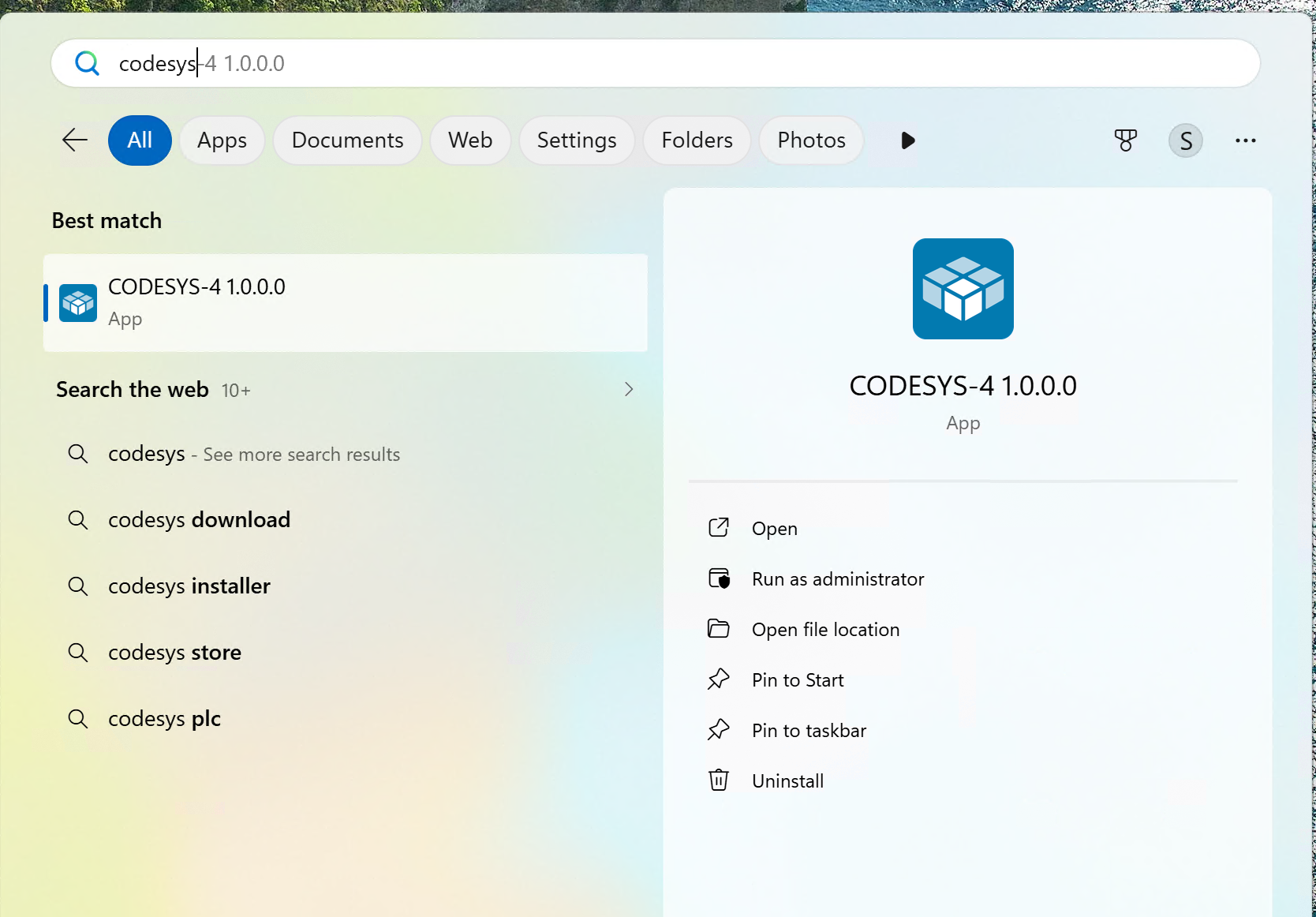
Wait a moment…
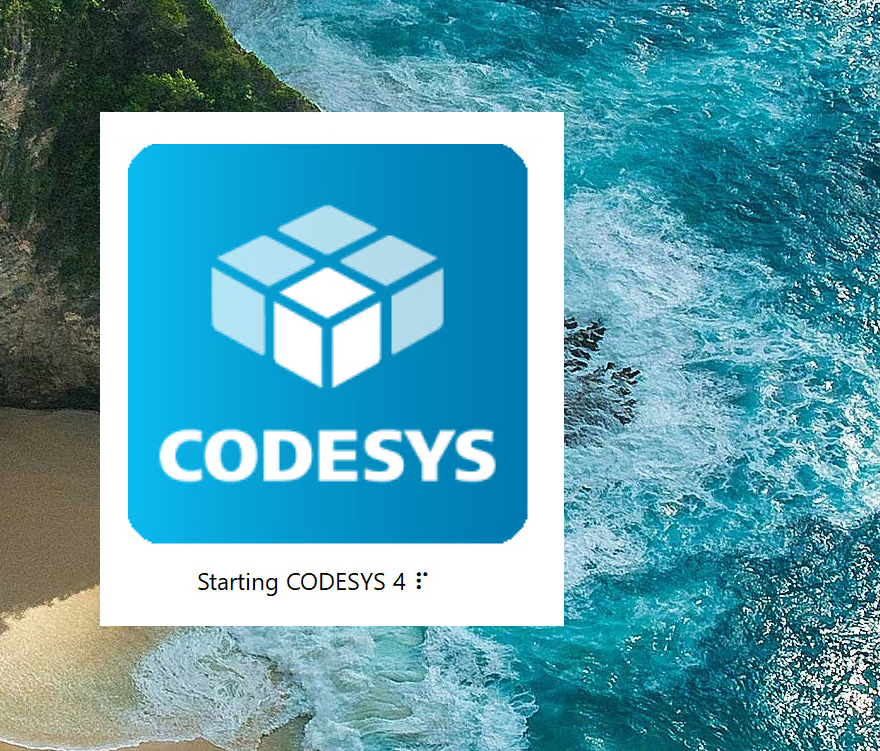
Done!
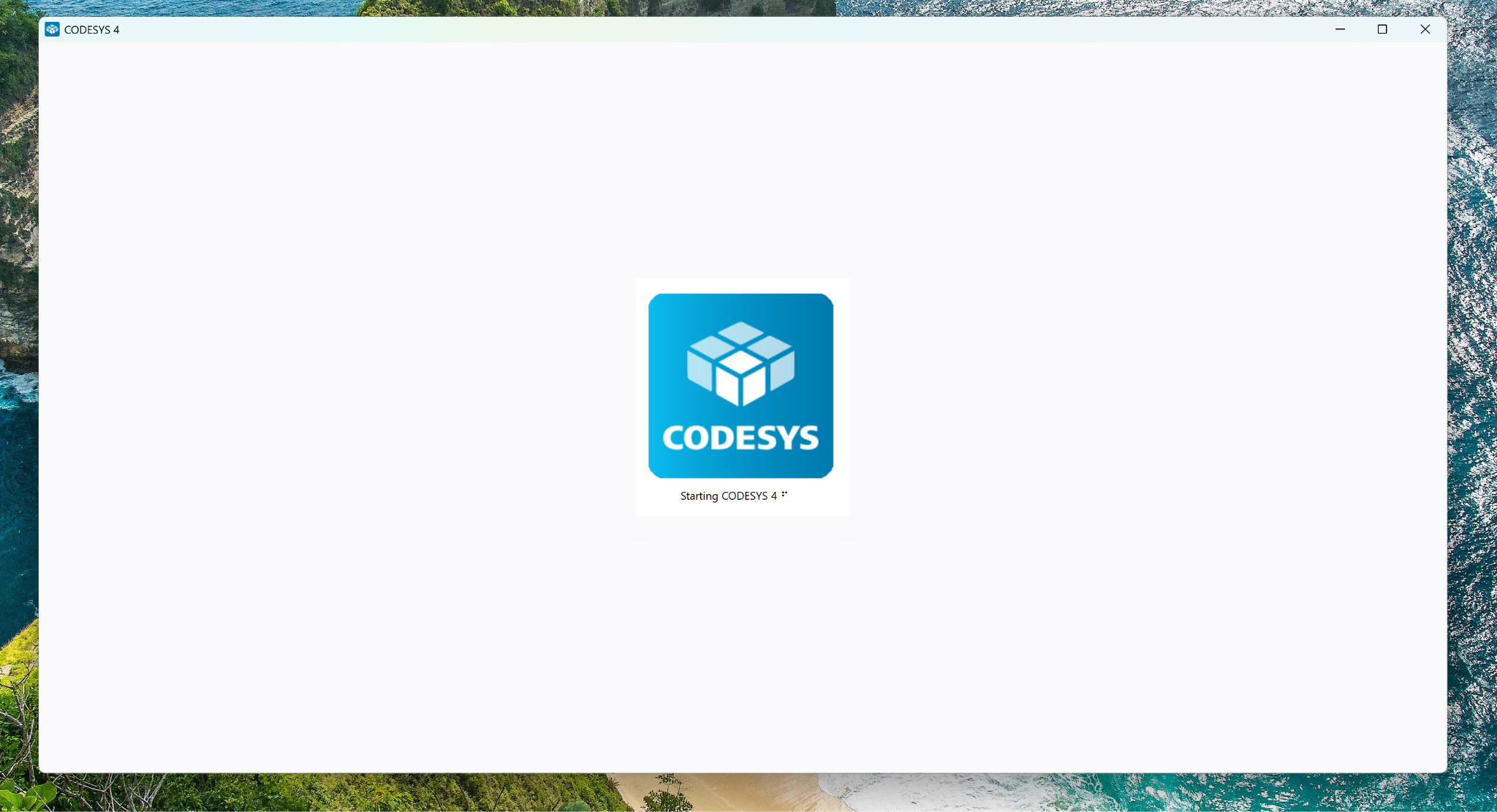
Linux
Next, the installation steps for Linux environment are explained.
Installing CODESYS Control SL
First, install CODESYS Runtime on the R1025.
Verify ARM64 architecture
dpkg –print-architecture |
|---|
Prepare working directory and tools
Downloaded files will be saved in this folder hereafter.
mkdir –p /home/recomputer/Codesys4
|
|---|
Download the PLC runtime
What is downloaded here is codesyscontrol for running PLC programs, not the web-based development environment codesys-4.
curl -fL —max-time 180 \
|
|---|
Extract the ARM64 installer
unzip -n /home/recomputer/Codesys4/control-arm64-4.22.package \
|
|---|
Verify content
dpkg-deb -f \ /home/recomputer/Codesys4/control-4.22/Delivery/linuxarm64/codesyscontrol_linuxarm64_4.22.0.0_arm64.deb \
|
|---|
Upon success, the following contents will be listed:
Package: codesyscontrol
|
|---|
Install ARM64 CodeMeter and PLC runtime
CodeMeter is the software that manages licenses for CODESYS runtime. Install it along with the main runtime system.
curl -fL —max-time 180 \
|
|---|
Install both packages together
sudo apt-get install -y \
|
|---|
Verify runtime startup
systemctl is-active codesyscontrol codemeter
|
|---|
Download and extract Gateway
Gateway connects the CODESYS development environment to the PLC runtime on R1025. Install it on the same R1025 unit.
curl -fL –max-time 180 \
|
|---|
Install Gateway
sudo apt-get install -y \
|
|---|
Verify Gateway startup
systemctl is-active codesysedge
|
|---|
Installing CODESYS 4
Install .NET execution environment
Add ASP.NET Core Runtime to run CODESYS 4 browser development environment.
curl -fL https://dot.net/v1/dotnet-install.sh \
|
|---|
Install CODESYS 4
sudo dpkg -i /home/recomputer/Codesys4/codesys-4_1.0.0.0_arm64.deb
|
|---|
Register login user
sudo usermod -aG codesys-4 recomputer
|
|---|
Create development server service
nano /etc/systemd/system/codesys-4-web.service |
|---|
Paste the following contents. In nano, press Ctrl+O → Enter to save, then Ctrl+X to exit.
[Unit]
|
|---|
Start and verify service
Reload systemd configurations, start the service, and enable automatic startup.
sudo systemctl daemon-reload
|
|---|
In this environment, the development server listens on localhost port 8080. Next, configure nginx to allow HTTPS access over LAN. LAN publishing via `ASPNETCORE_URLS` will not be used as it was ineffective in testing.
Install nginx
sudo apt-get install -y nginx-light
|
|---|
Create SSL certificate
sudo ls -l /etc/nginx/codesys-tls/
|
|---|
Save nginx proxy configuration
sudo nano /etc/nginx/conf.d/codesys-4-https.conf
|
|---|
Verify and apply configuration
sudo nginx -t |
|---|
Open CODESYS 4
Completely close and reopen your browser, then navigate to the following URL:
https://IPアドレス/ |
|---|
Log in using the Username and Password used for SSH.
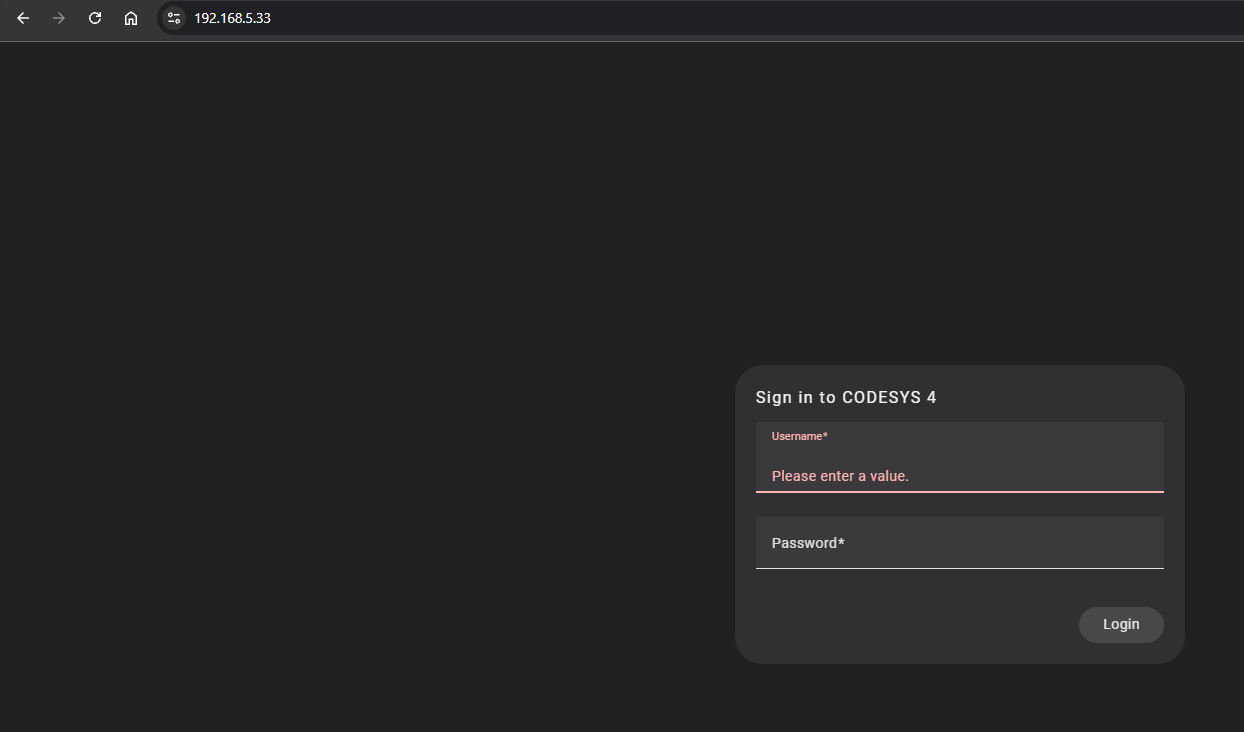
First Project
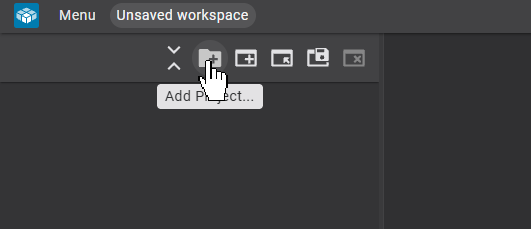
Let’s create a project in CODESYS 4 now.
Creating a New Project
Click Add Project below.
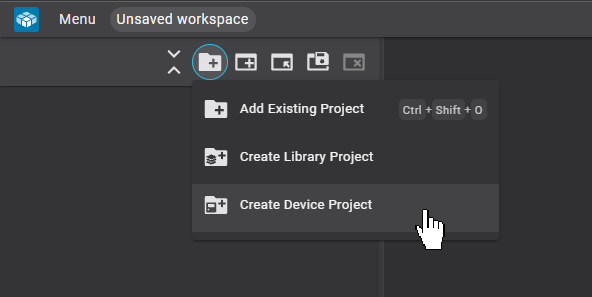
Click Create Device Project.
Working path configuration
This is the project settings screen.
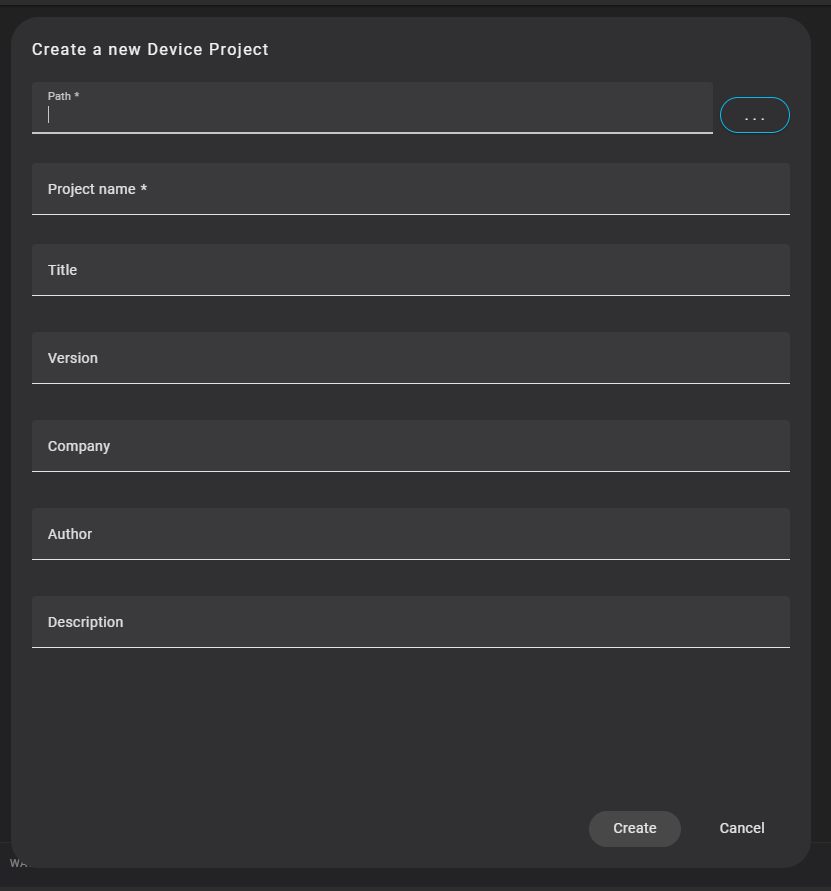
To specify the project location in Path, click the “…” button inside the red box.
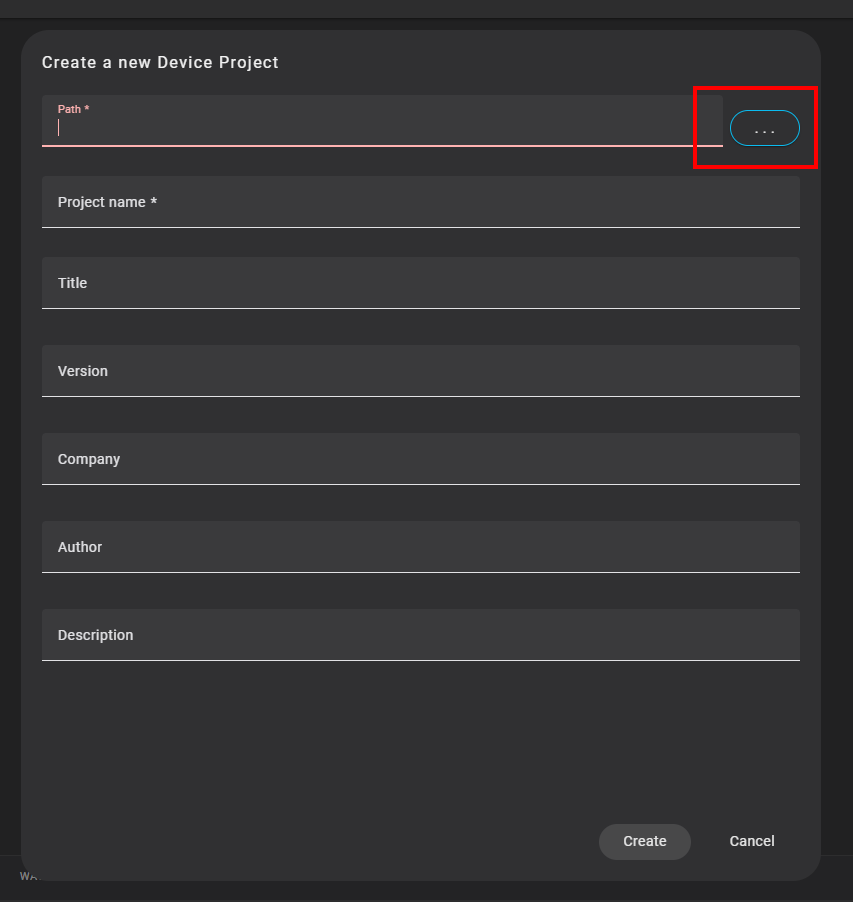
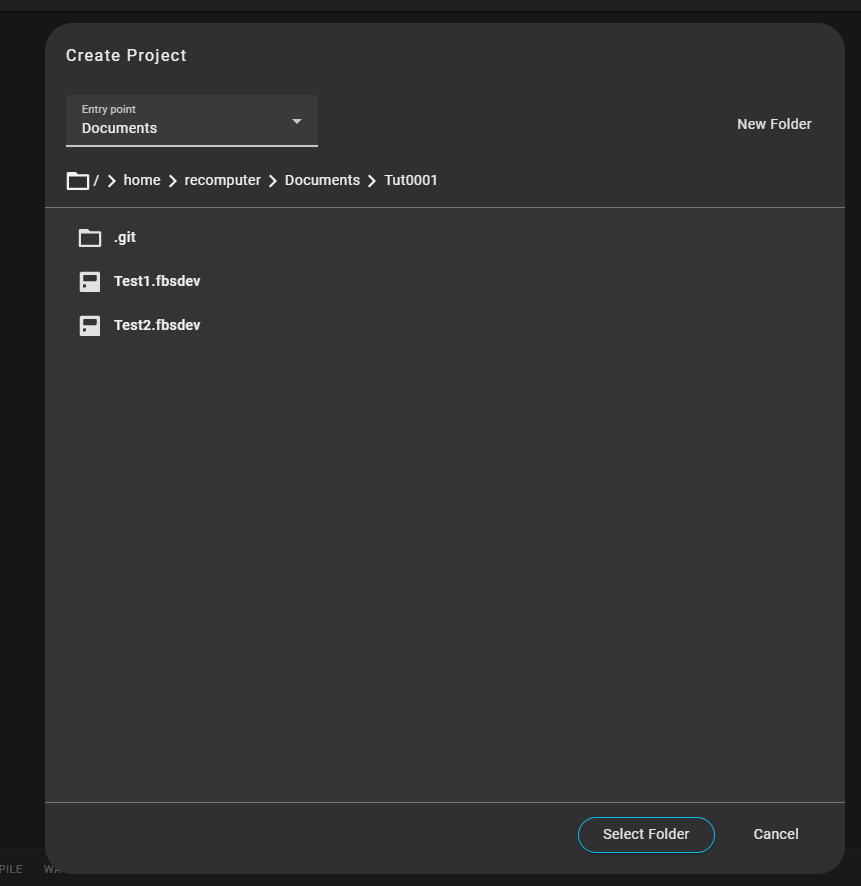
Set the project save location.
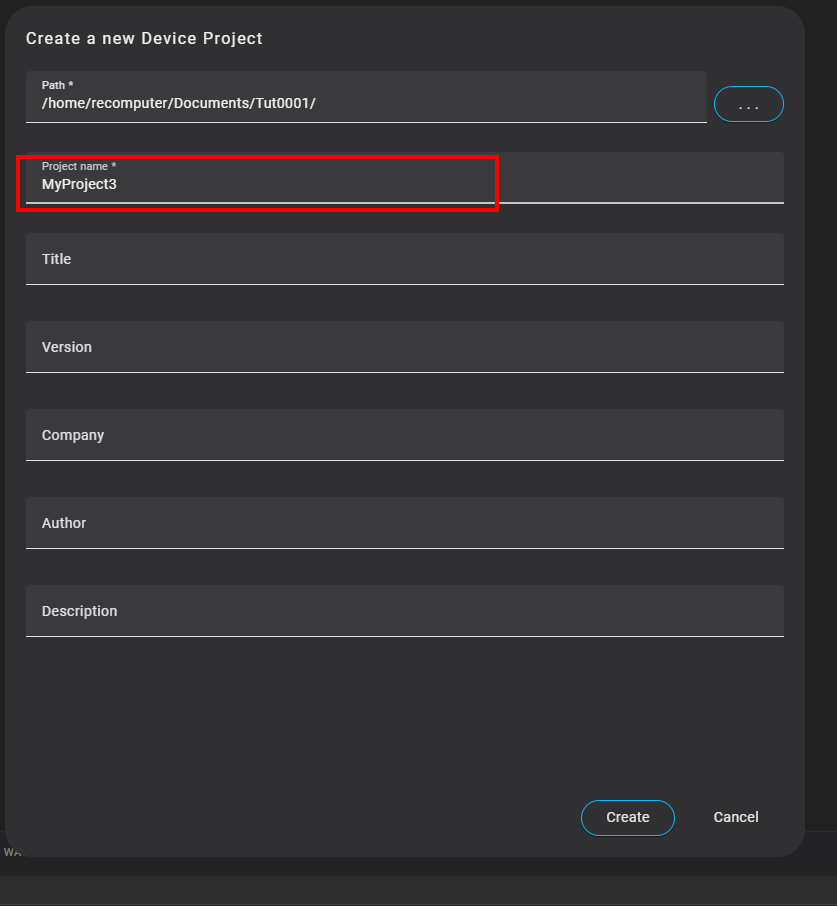
Project name configuration
Next, set the project name.
Target selection
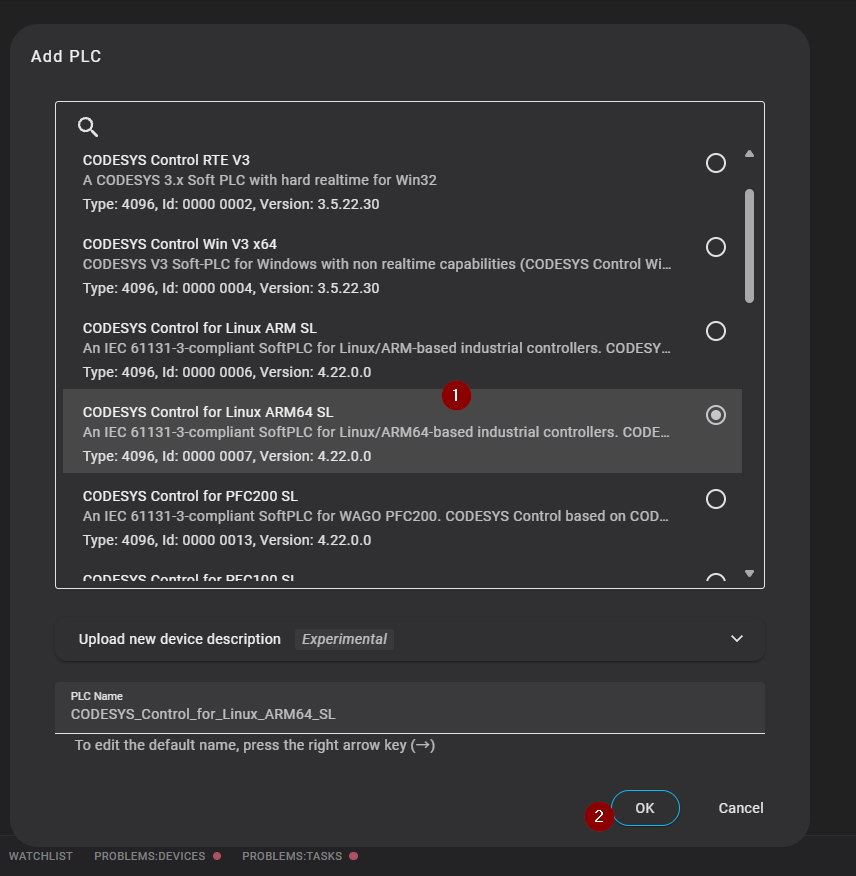
Next, select the type of CODESYS Runtime.
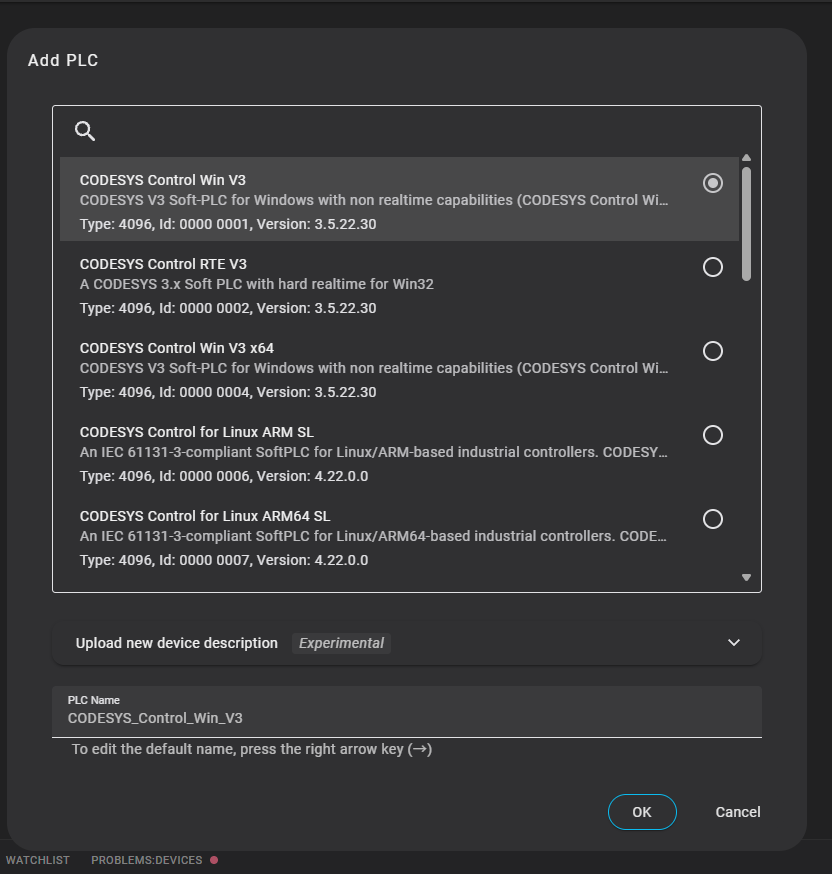
Select CODESYS Control for Linux ARM64 SL, which was installed on the Recomputer R1025 earlier, and click OK to proceed.
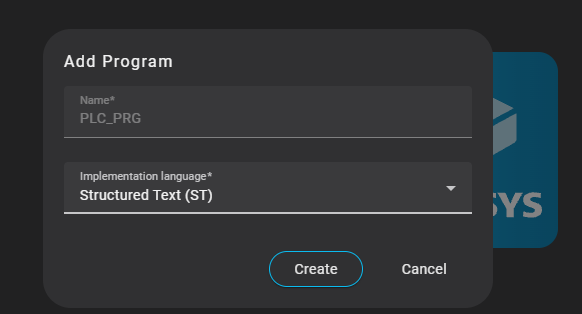
Creating the first program
Next, the initial program creation screen is displayed → click Create.
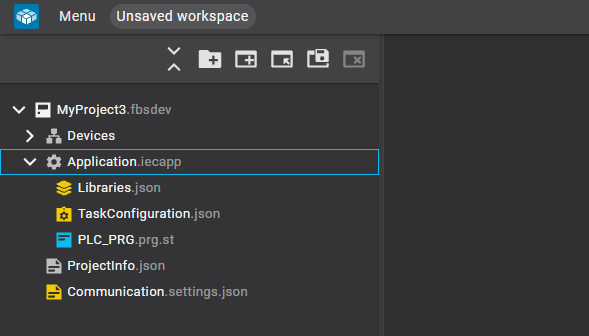
Result
Done! The project has been created.
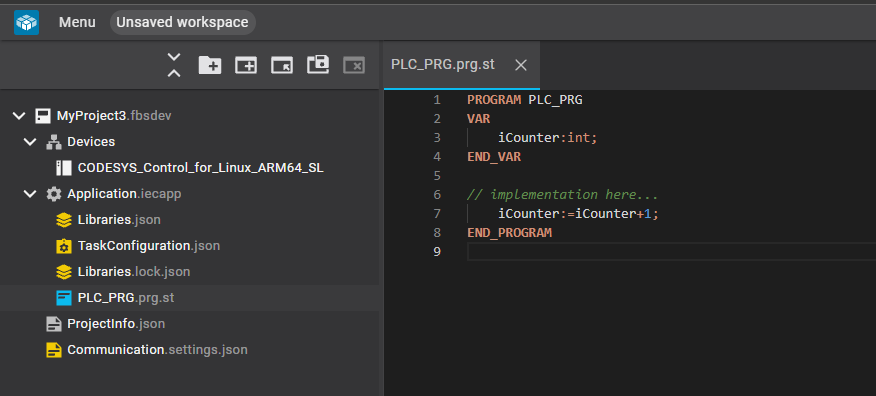
ST Program
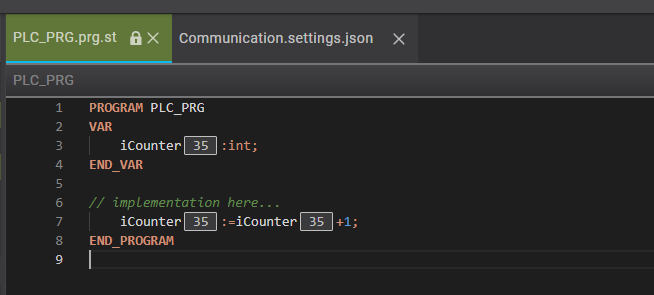
Open PLC_PRG created earlier and add a simple counter program.
Runtime Connection
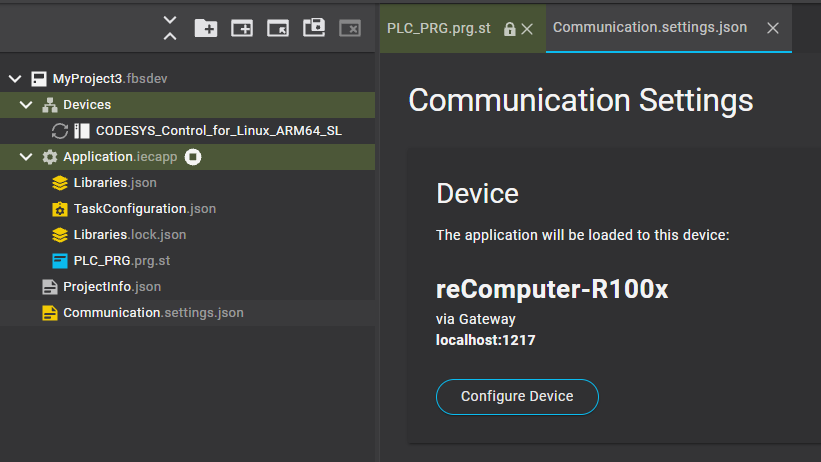
Next, to connect to the CODESYS Runtime running on Recomputer R1025, click Communication.
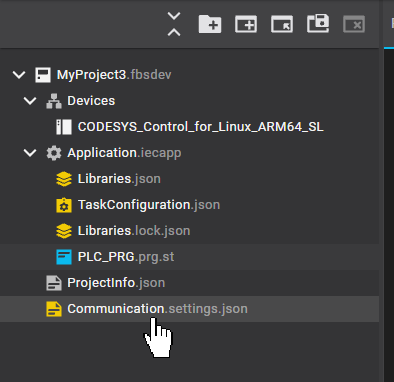
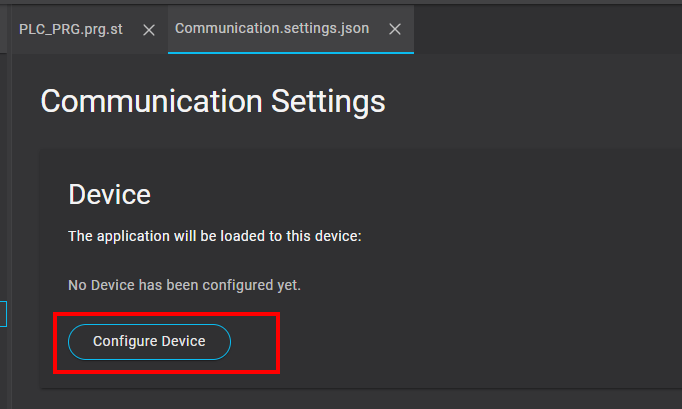
Click Configure Device.
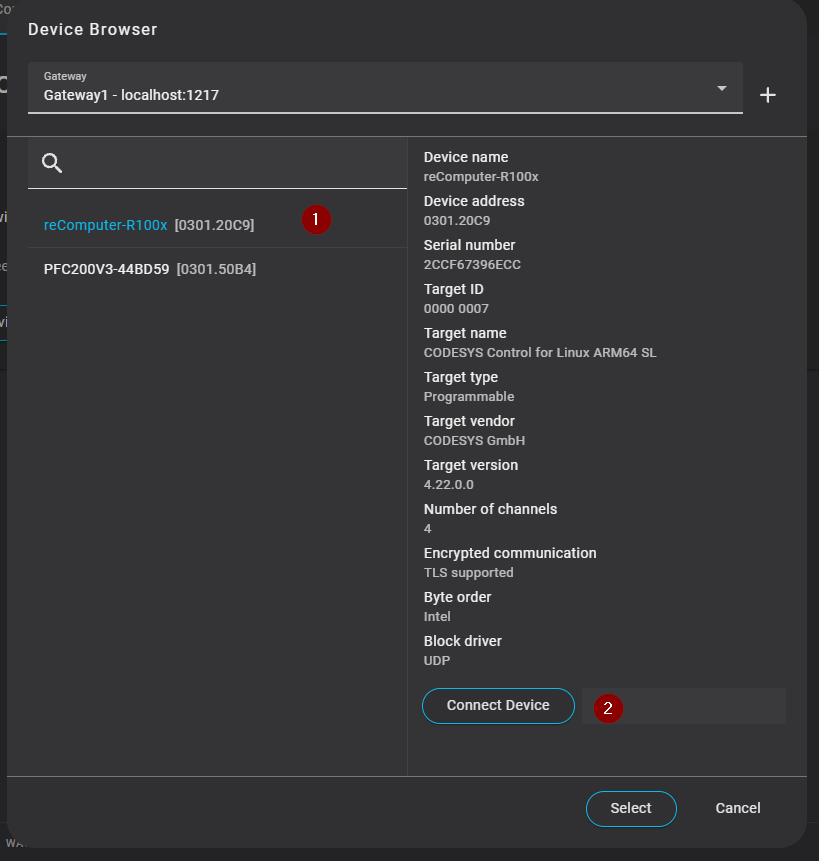
Select Recomputer-R100x → click Connect Device.
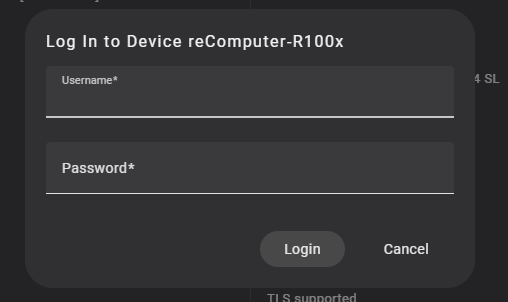
Enter the login credentials for the CODESYS Runtime.
Done! Connected successfully.
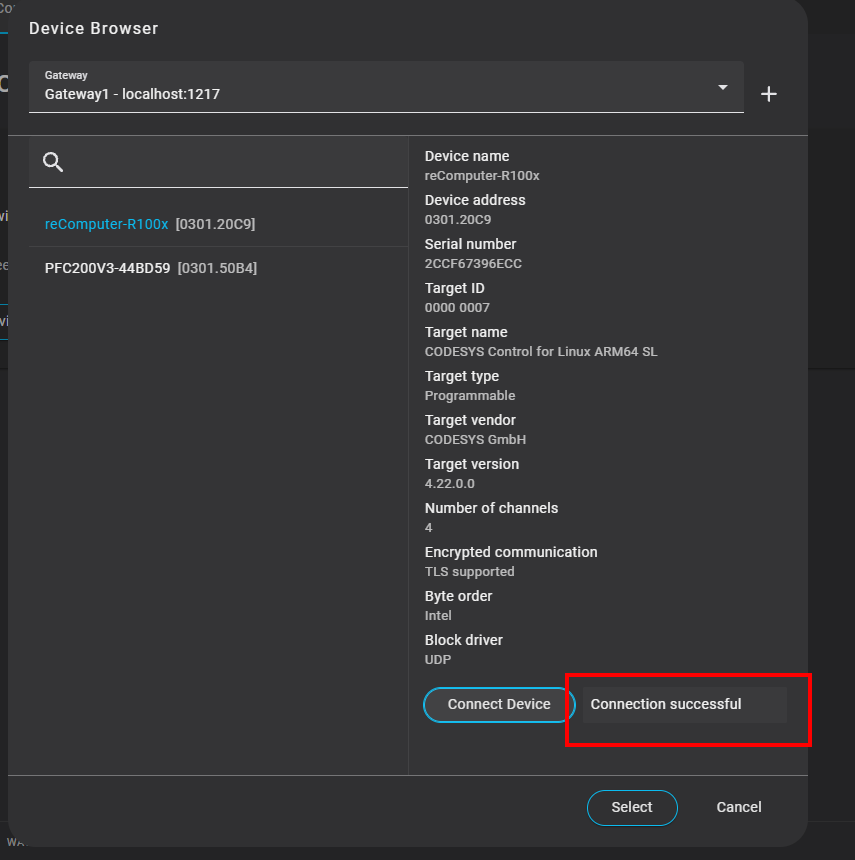
This completes the setup.
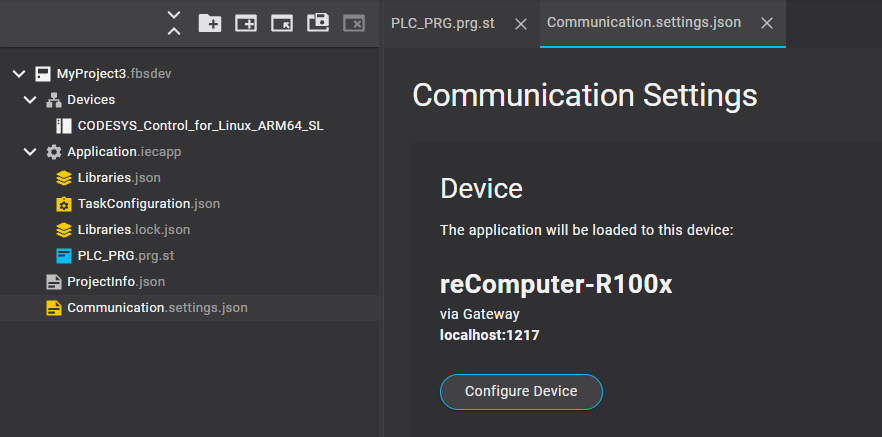
Download
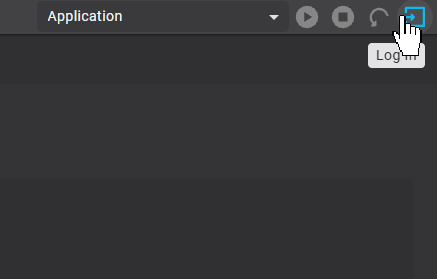
Finally, click Login on the top right of the screen.
Click Download.
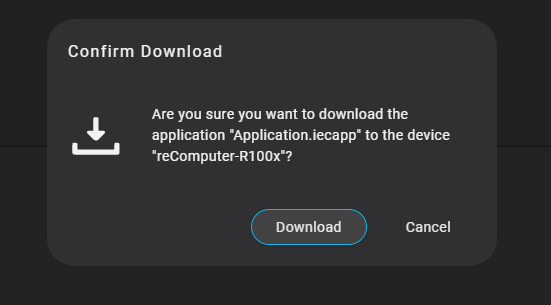
Done!
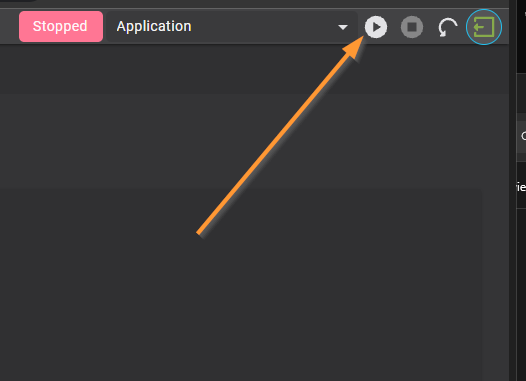
PLC Run
Switch CODESYS Runtime to Run state using the button below.
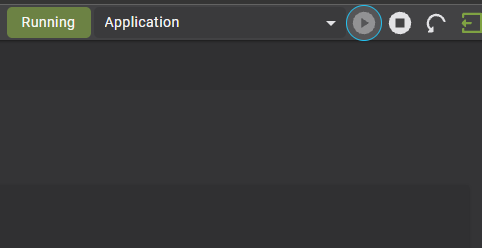
Done!
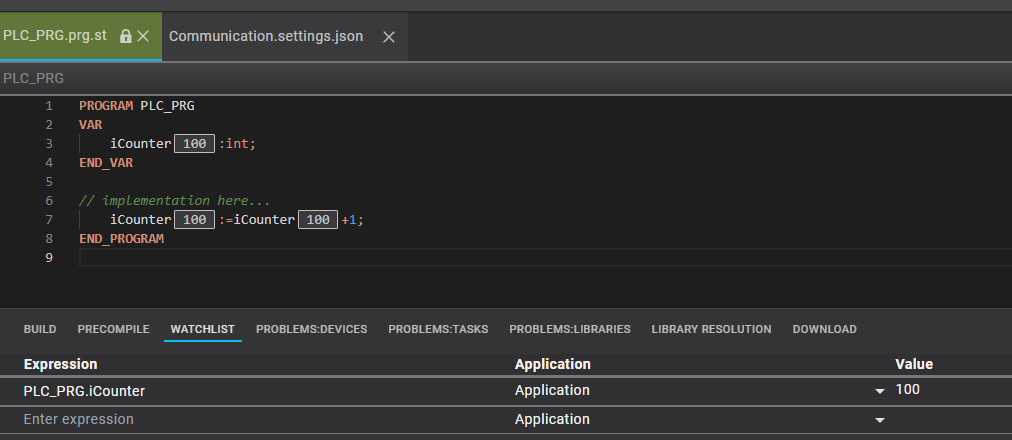
You can monitor current values of the ST program directly from the tool interface.
Watch List
In addition, you can check current values for each variable using the Watch List feature.
Task Settings
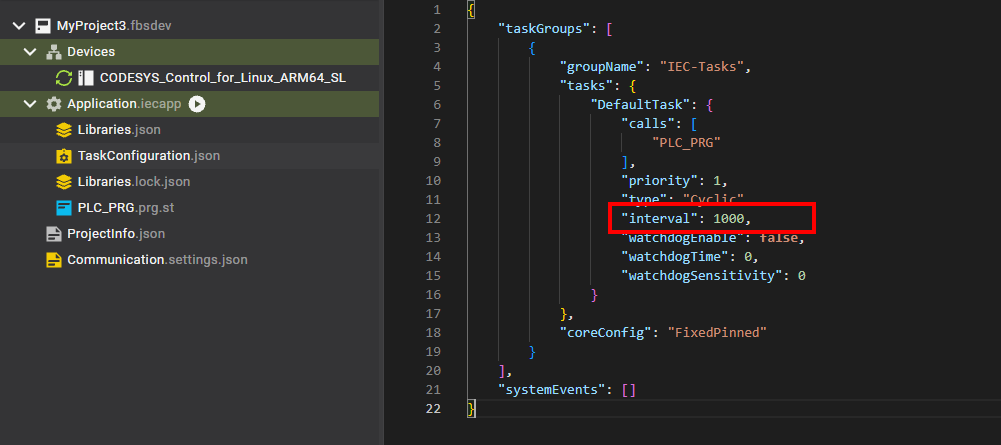
You can open TaskConfiguration to modify execution intervals for current tasks.