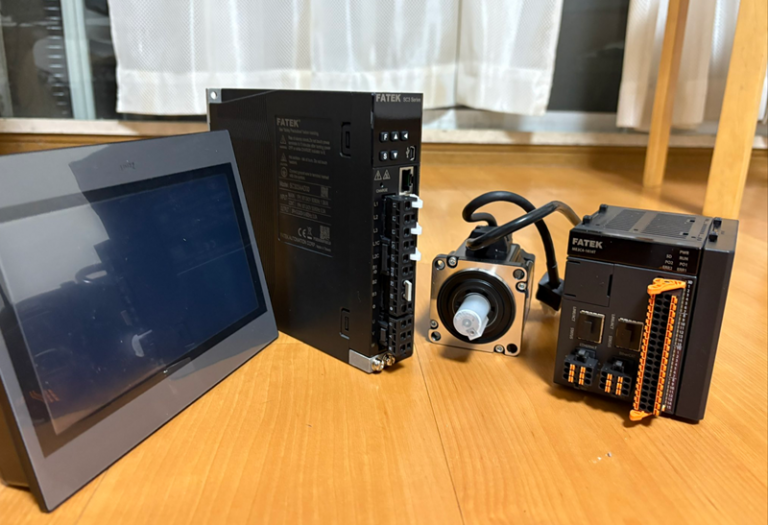
This is a new series featuring FATEK’s SC Series SERVO, where we will explore various topics. Episode 2 covers control via connection to Beckhoff TwinCAT3 over EtherCAT.
Alright, let’s enjoy the FA.
Foreword
Thank you from the bottom of my heart for visiting my technical blog and YouTube channel.
We are currently running the “Takahashi Chris” radio show with Full-san (full@桜 八重 (@fulhause) / X) which I deliver every Wednesday night.
Sharing, not hoarding, technical knowledge
We publish technical information related to factory production technology and control systems for free, through blogs and videos.
With the belief that “knowledge should be accessible to everyone,” we share practical know-how and real-world troubleshooting cases from our own field experience.
The reason we keep it all free is simple: to help reduce the number of people who struggle because they simply didn’t know.
If you’ve ever thought:
- “Will this PLC and device combination actually work?”
- “I’m having trouble with EtherCAT communication—can someone test it?”
- “I want to try this remote I/O, but we don’t have the testing environment in-house…”
Feel free to reach out!If lending equipment or sharing your configuration is possible, we’re happy to verify it and share the results through articles and videos.
(We can keep company/product names anonymous if requested.)
How can you support us?
Currently, our activities are nearly all unpaid, but creating articles and videos takes time and a proper testing environment.If you’d like to support us in continuing and expanding this content, your kind help would mean a lot.
Membership (Support our radio show)
This support plan is designed to enhance radio with Mr Full.
https://note.com/fulhause/membership/join
Amazon Gift List (equipment & books for content production)
Lists equipment and books required for content creation.
https://www.amazon.co.jp/hz/wishlist/ls/H7W3RRD7C5QG?ref_=wl_share
Patreon (Support articles & video creation)
Your small monthly support will help to improve the environment for writing and verifying articles.
https://www.patreon.com/user?u=84249391
Paypal
A little help goes a long way.
https://paypal.me/soup01threes?country.x=JP&locale.x=ja_JP
Just trying to share things that could’ve helped someone—if only they’d known.
Your support helps make knowledge sharing more open and sustainable.
Thank you for being with us.
soup01threes*gmail.com
Technical knowledge shouldn’t be kept to ourselves.
Reference Link
http://soup01.com/en/category/fatek_en/sc-series-en/
Implementation
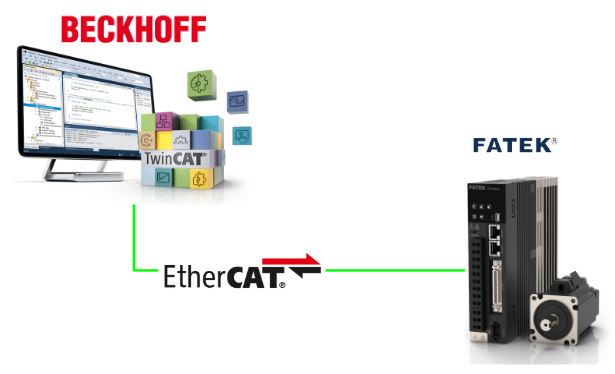
Here is the configuration for this time.
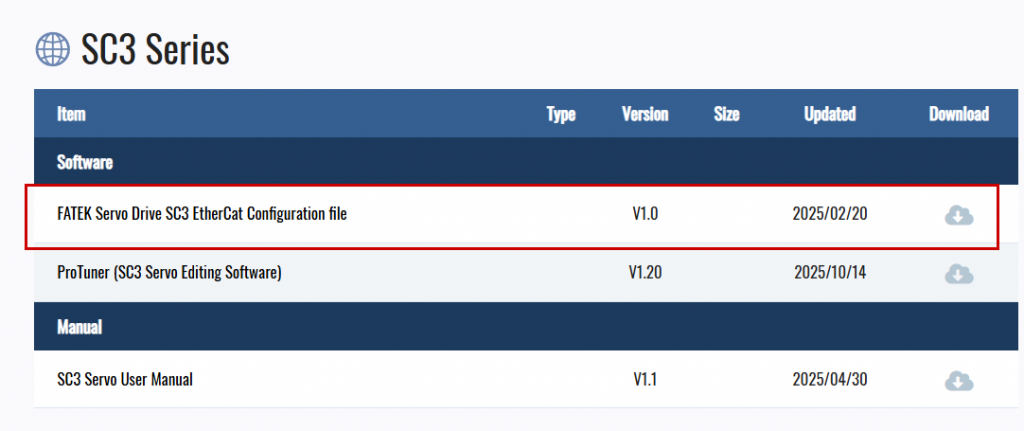
Download the ESI file
Download the ESI file for the FATEK SC3 series servo used in this article from the link below.
https://www.fatek.com/en/download.php?act=list&cid=175
FATEK Side
First, configure settings from the Fatek side. Launch ProTune and connect to the Servo.
Pn20E/Pn210
These two parameters are used to set the gear ratio.
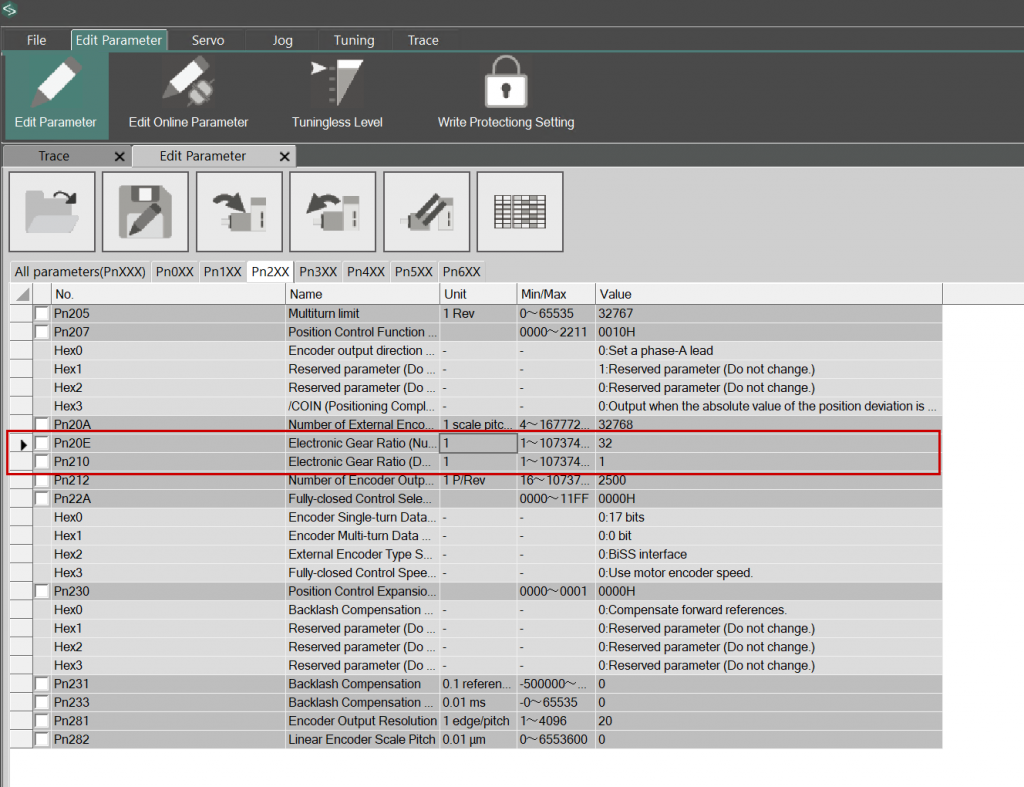
Click the Value column next to Pn20E/Pn210 to display the parameter editing screen.
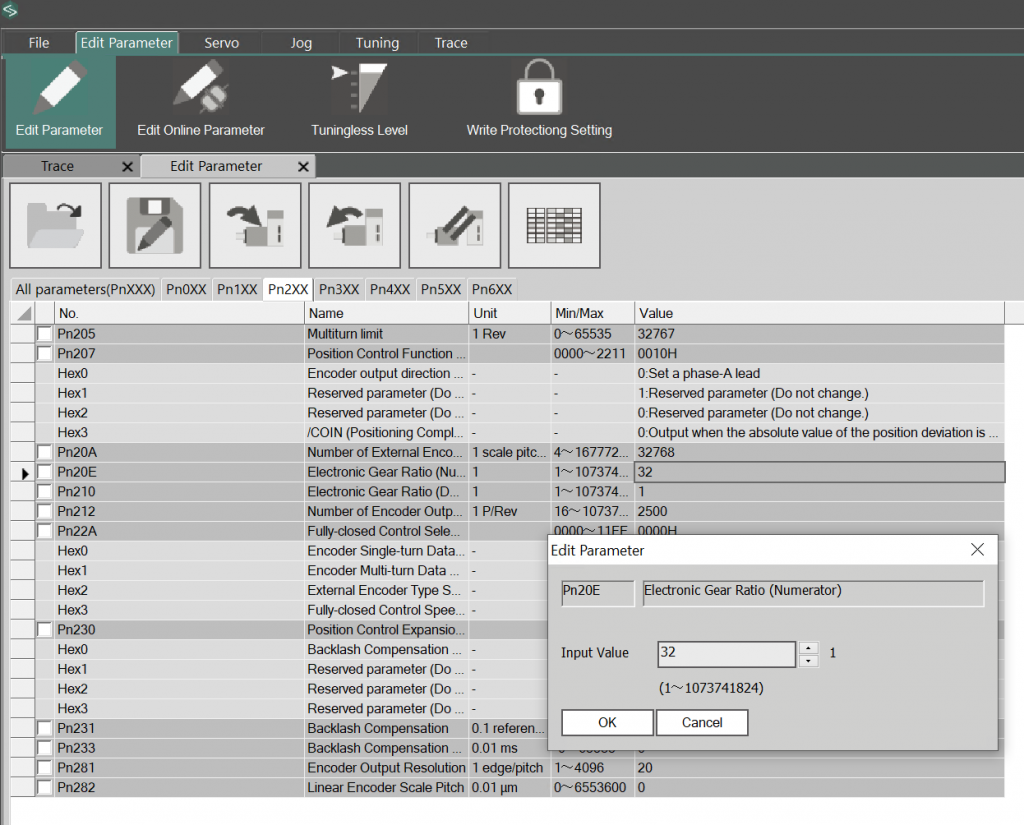
This time, we will set Pn210 with Pn20E=131072. The servo motor used in the article has a resolution of 17 bits, and one revolution is set to 6000 (unit: mm).
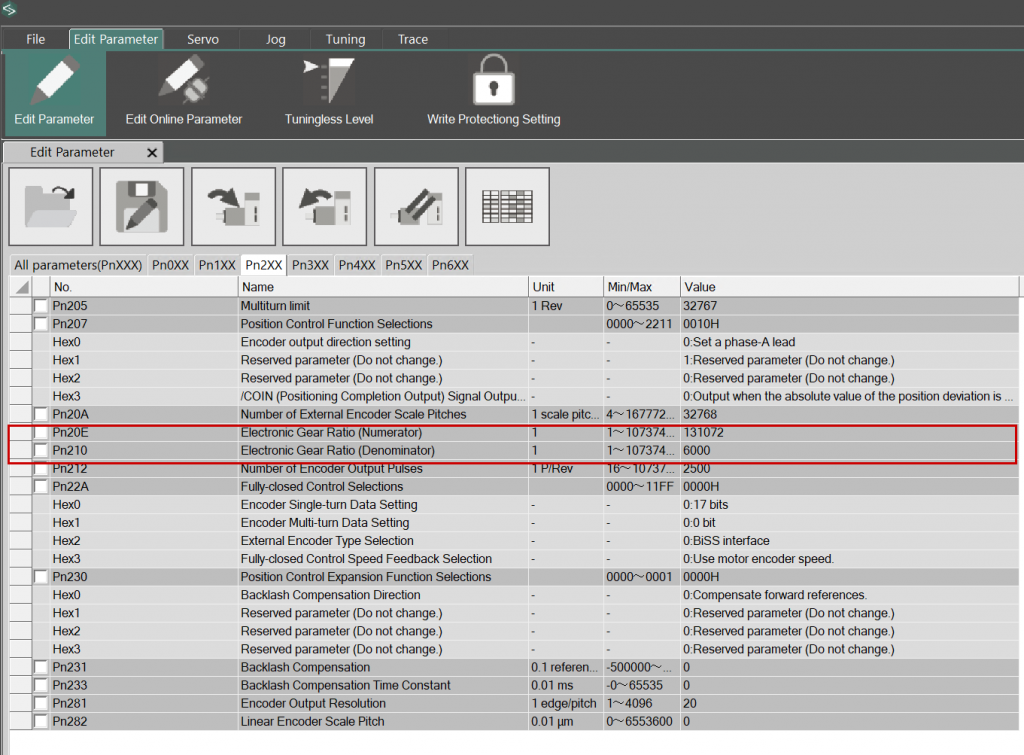
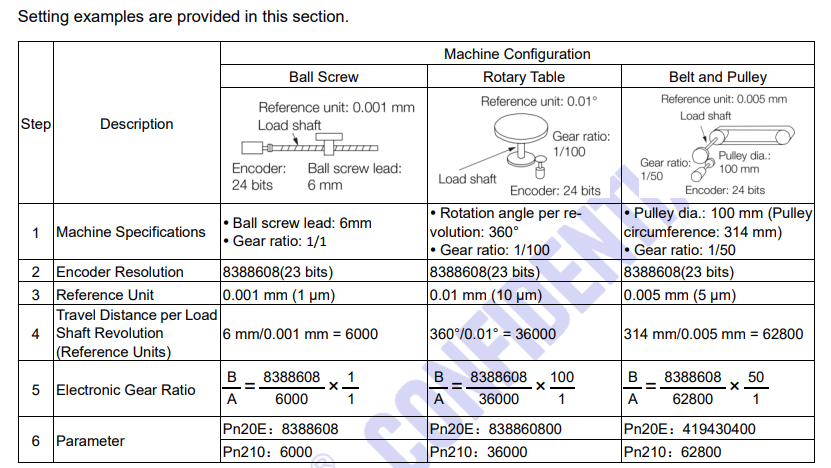
This is an explanation of the SC3 series (it bears a striking resemblance to some Japanese manufacturer’s manual, but let’s put that aside for now). This explains the resolution setting for Fatek’s SC3 servo motor. For this article, we are using the Ball Screw type with 6mm/0.001m, and the Reference Unit is set to 0.001.
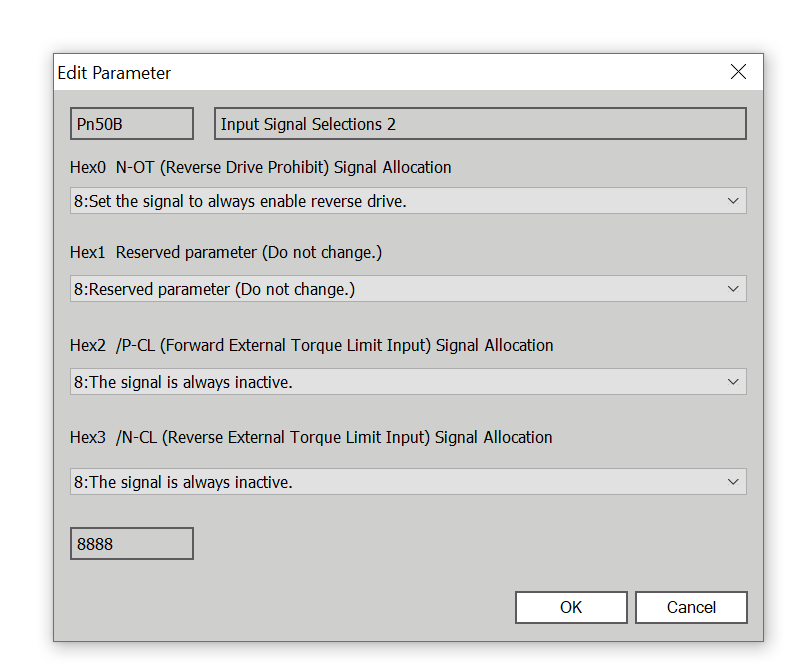
Pn50B
This parameter sets the conditions for permitting reverse rotation of the servo motor. By default, it is assigned to the input on the main unit.
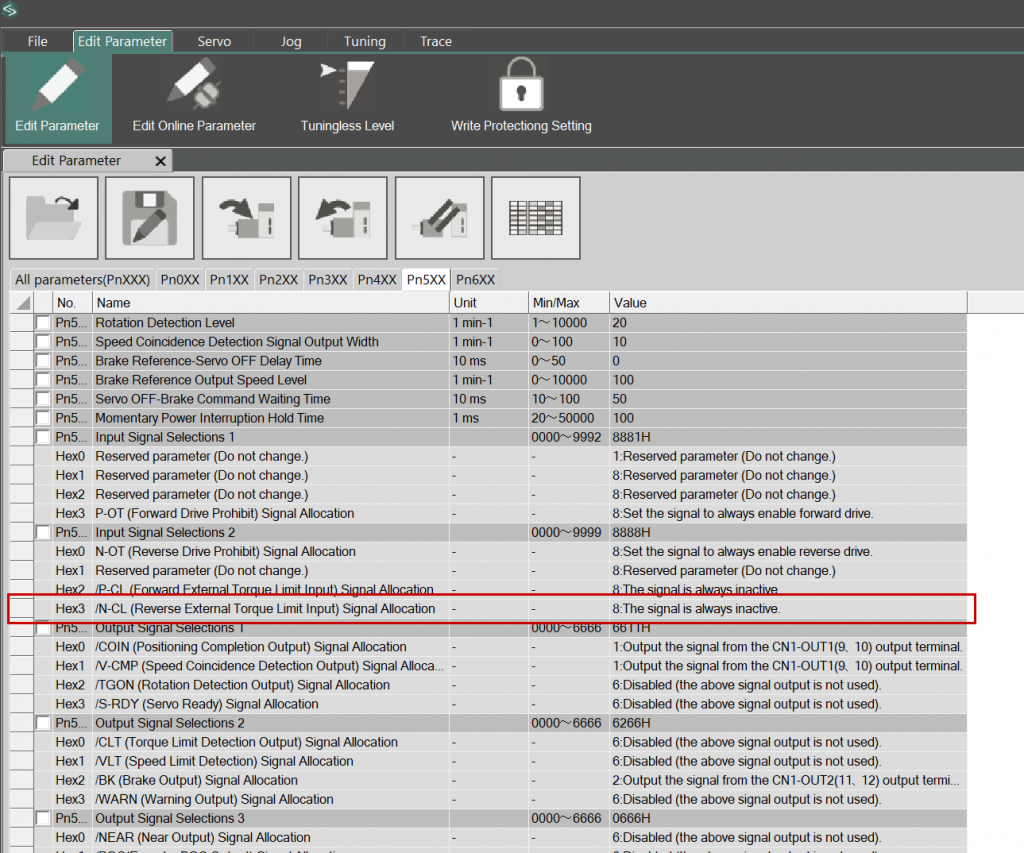
Since this article does not use the IO pins, please set all settings to 8.
TwinCAT Side
Next, configure the TwinCAT side.
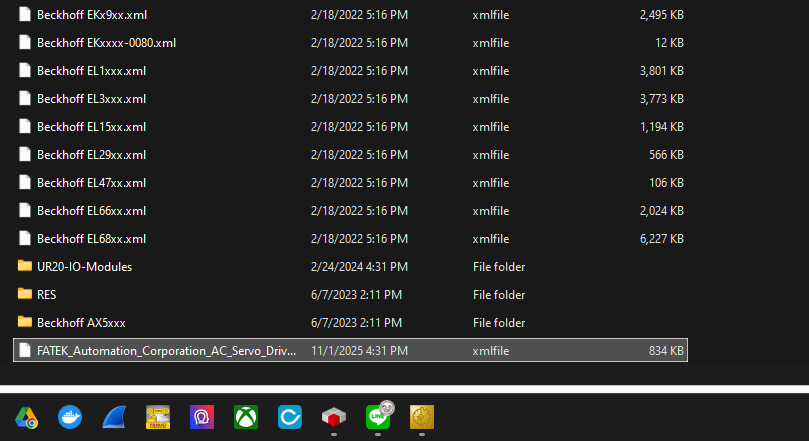
Install the EDS file
First, let’s install the ESI file you downloaded earlier from the Fatek website.
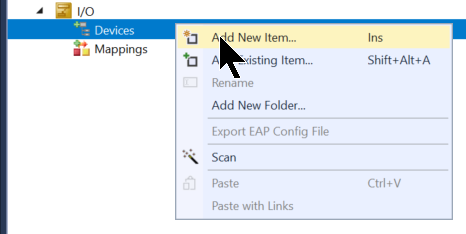
Add EtherCAT Device
Next, add a new communication interface via I/O → Add New Item.
Select EtherCAT→EtherCAT Master, then proceed by clicking OK.
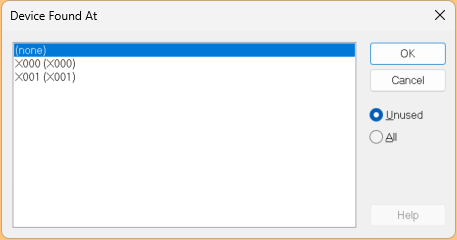
Next, configure the interface to be used as the EtherCAT master and proceed by clicking OK.
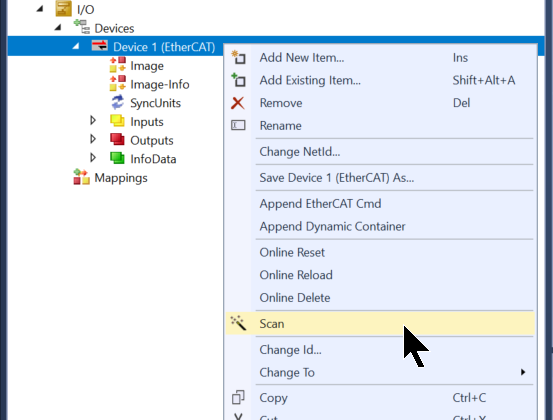
Scan
Right-click the EtherCAT master you just added and proceed with Scan.
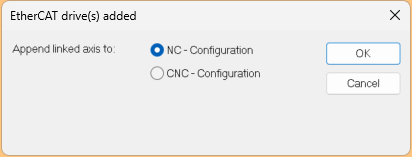
Select NC-Configuration → Proceed by clicking OK.
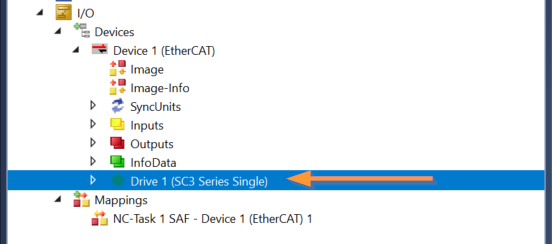
Done!Fatek Servo has been added.
Program
Next, we will create a program to operate the Fatek SC3 Servo. This will implement the PLC OPEN Motion function block. It is standardly implemented in Beckhoff TwinCAT3.
| PROGRAM MAIN VAR fbMC_Power :MC_Power; fbMC_Home :MC_Home; fbMC_Jog :MC_Jog; fbMC_MoveAbsolute :MC_MoveAbsolute; fbMC_MoveRelative :MC_MoveRelative; fbMC_ReadActualPosition :MC_ReadActualPosition; fbMC_ReadActualVelocity :MC_ReadActualVelocity; fbMC_ReadStatus :MC_ReadStatus; fbMC_Reset :MC_Reset; END_VAR VAR fbMC_MoveAbsolutePosition ,fbMC_MoveAbsoluteVelocity :LREAL; fbMC_MoveRelativePosition ,fbMC_MoveRelativeVelocity :LREAL; xInited :BOOL; xExeAbs,xExeRel,xReset,xPWON :BOOL; END_VAR |
Next, call each FB instance to perform actions such as servo activation and positioning.
| IF NOT xInited THEN fbMC_MoveAbsolutePosition:=0.0; fbMC_MoveAbsoluteVelocity:=6.0; fbMC_MoveRelativePosition:=6.0; fbMC_MoveRelativeVelocity:=30.0; xInited:=TRUE; END_IF fbMC_Power( Axis:=GVL.axis[0] ,Enable:=xPWON ,Enable_Negative:=TRUE ,Enable_Positive:=TRUE ); fbMC_Reset( Axis:=GVL.axis[0] ,Execute:=xReset ); fbMC_Home(Axis:=GVL.axis[0]); fbMC_Jog(Axis:=GVL.axis[0]); fbMC_MoveAbsolute( Axis:=GVL.axis[0] ,Execute:=xExeAbs ,Position:=fbMC_MoveAbsolutePosition ,Velocity:=fbMC_MoveAbsoluteVelocity ); IF fbMC_MoveAbsolute.Busy THEN xExeAbs:=FALSE; END_IF fbMC_MoveRelative( Axis:=GVL.axis[0] ,Execute:=xExeRel ,Distance:=fbMC_MoveRelativePosition ,Velocity:=fbMC_MoveRelativeVelocity ); IF fbMC_MoveRelative.Busy THEN xExeRel:=FALSE; END_IF fbMC_ReadActualPosition( Axis:=GVL.axis[0] ,Enable:=TRUE ); fbMC_ReadActualVelocity( Axis:=GVL.axis[0] ,Enable:=TRUE ); fbMC_ReadStatus( Axis:=GVL.axis[0] ,Enable:=TRUE ); |
Assign Axis
Next, link the axis to AXIS_REF.
Click the Link to PLC button.
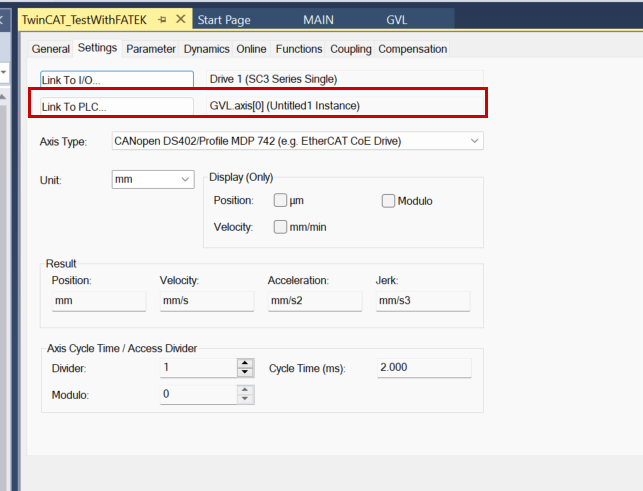
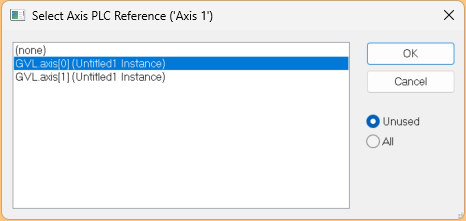
Let’s connect to the AXIS_REF defined earlier in GVL.
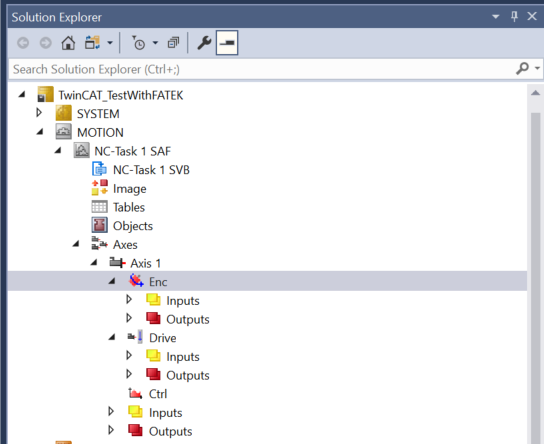
Enc parameter
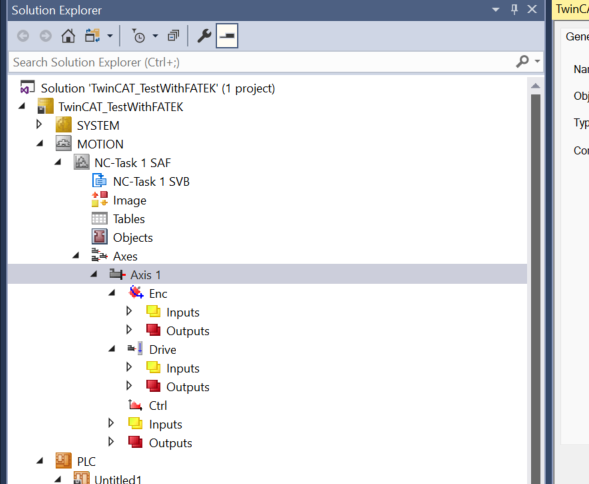
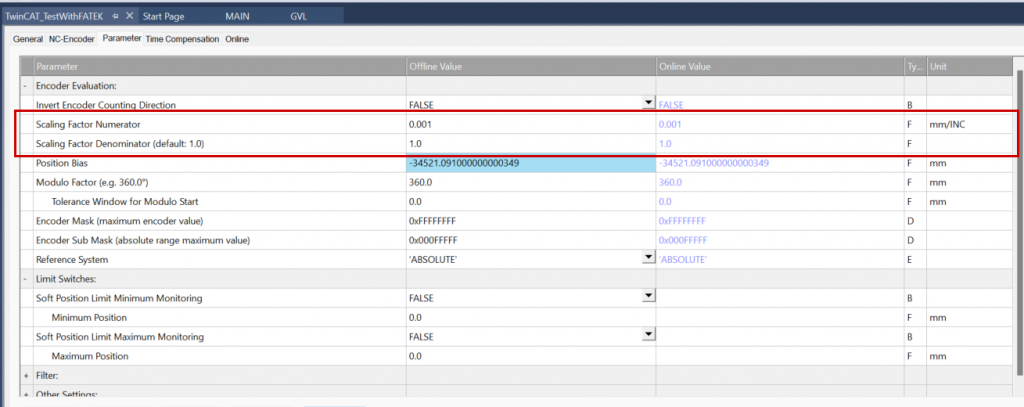
Next, click Axis → Axis1 → Enc to configure the encoder settings.
This explains the resolution settings for Fatek’s SC3 servo motor. For this article, we are using the Ball Screw type with a resolution of 6mm/0.001m, and the Reference Unit is set to 0.001.
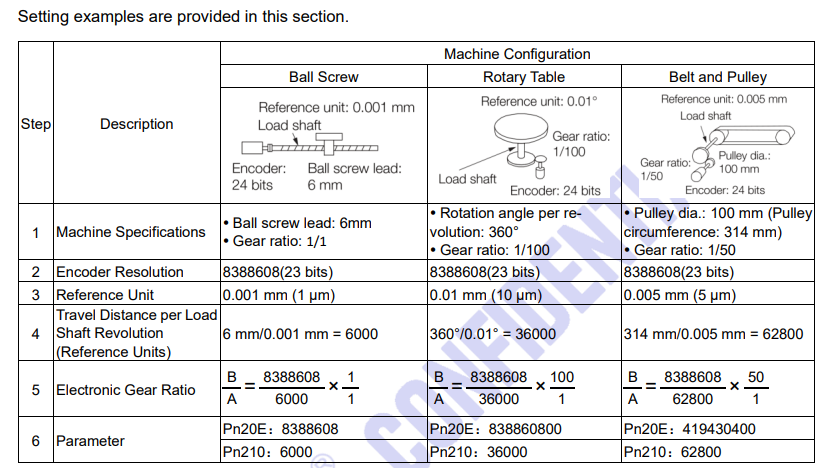
Configure TwinCAT accordingly.
Result
You can verify the operation from this video.